
bolt

Exclusive Military Offer: 14-day Free Trial & Up to 75% Off!

Exclusive Military Offer:
14-day Free Trial & Up to 75% Off! Get the Deal

Free Trial + Extra Saving Badge

75

%

Thanks for Your Service—Protect What Matters Most

A woman in military uniform sits with a young child on their lap, both looking at a laptop together at a home desk.

Aura helps military families stay connected and protected—promoting balanced tech habits for kids and safer online experiences for the whole family. Raise kids who thrive online and offline, wherever duty takes you.

TechRadar logo- 4.5 stars rating out of 5
White Wall Street Journal Logo
White Bloomberg Logo
The View logo white
White Forbes Logo

As featured on:

USA Today logo

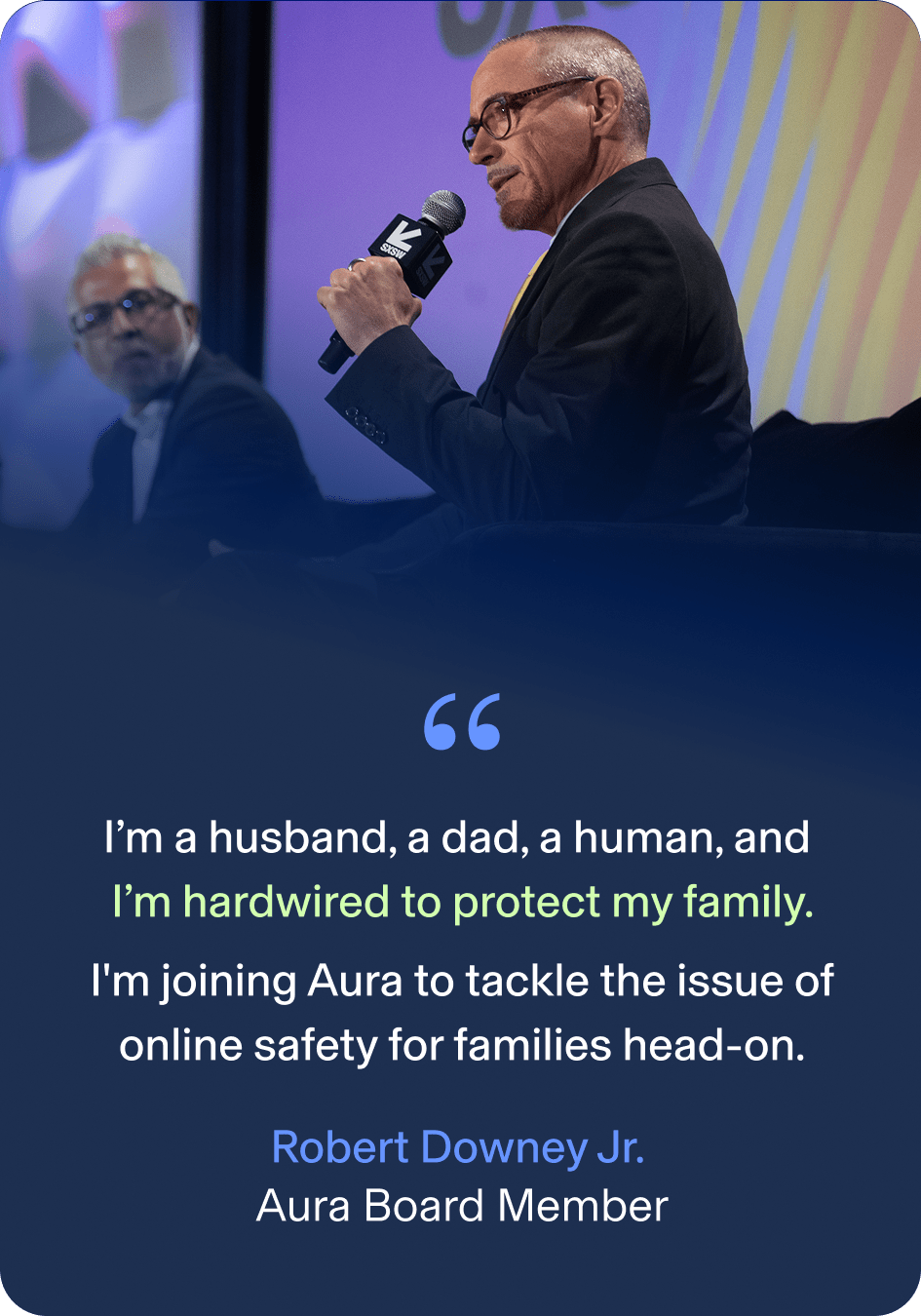
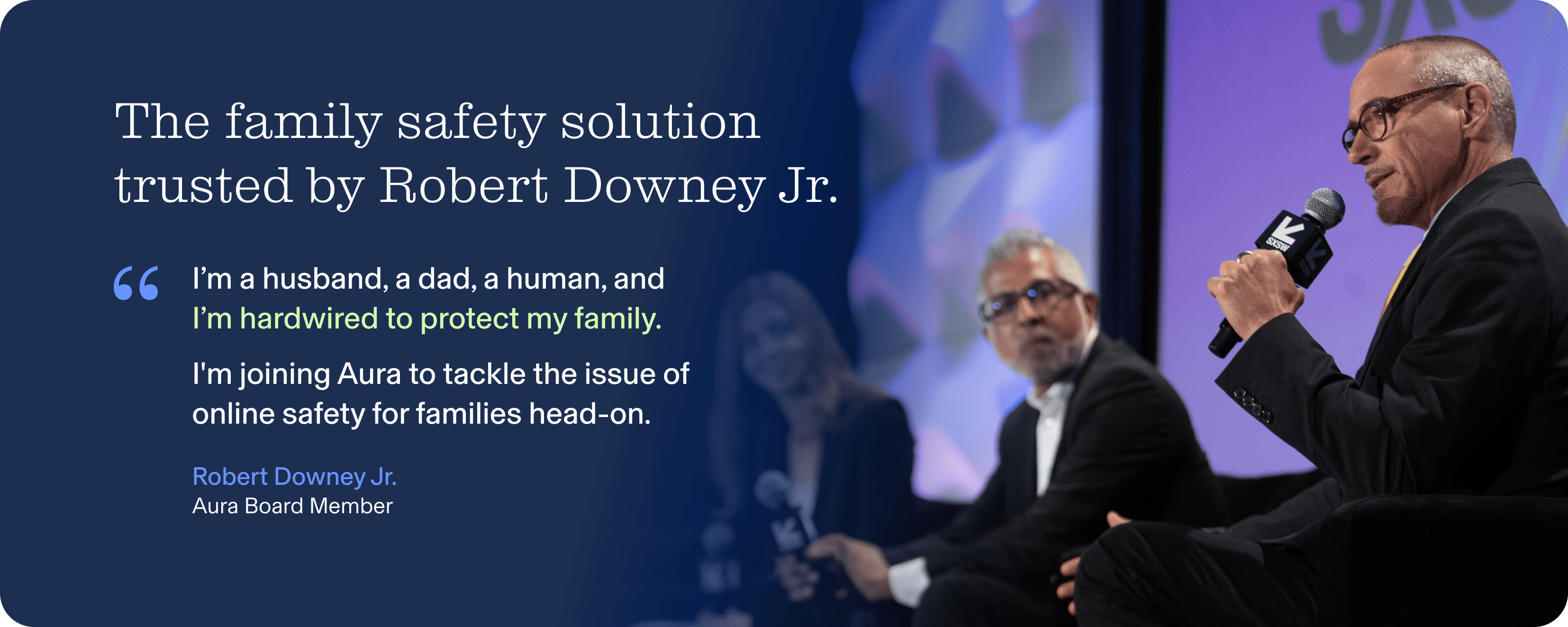
The Family Safety Solution Trusted by Robert Downey Jr.

The family safety solution trusted by Robert Downey Jr. In quotes: I'm a husband, a dad, a human, and I'm hardwired to protect my family. I'm joining Aura to tackle the issue of online safety for families head-on." End quote by Robert Downey Jr., an Aura
The family safety solution trusted by Robert Downey Jr. In quotes: I'm a husband, a dad, a human, and I'm hardwired to protect my family. I'm joining Aura to tackle the issue of online safety for families head-on." End quote by Robert Downey Jr., an Aura Board Member

Family Screen Time, Covered

From social media to gaming, start managing your kids' online activity to support healthy screen time and overall wellbeing. Aura Parental Controls allows you to restrict internet access and limit screen time on your child's iPhone, iPad or Android phones and tablets.

Let Them Explore – 

With Boundaries

The internet offers limitless opportunities, good and bad. Aura Parental Controls blocks harmful content and lets you filter apps and websites to create boundaries that work for your family.

Let Them 

Explore – With Boundaries

The internet offers limitless opportunities, good and bad. Aura Parental Controls blocks harmful content and lets you filter apps and websites to create boundaries that work for your family.

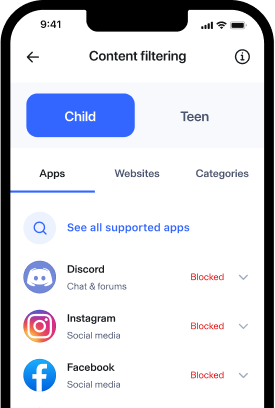
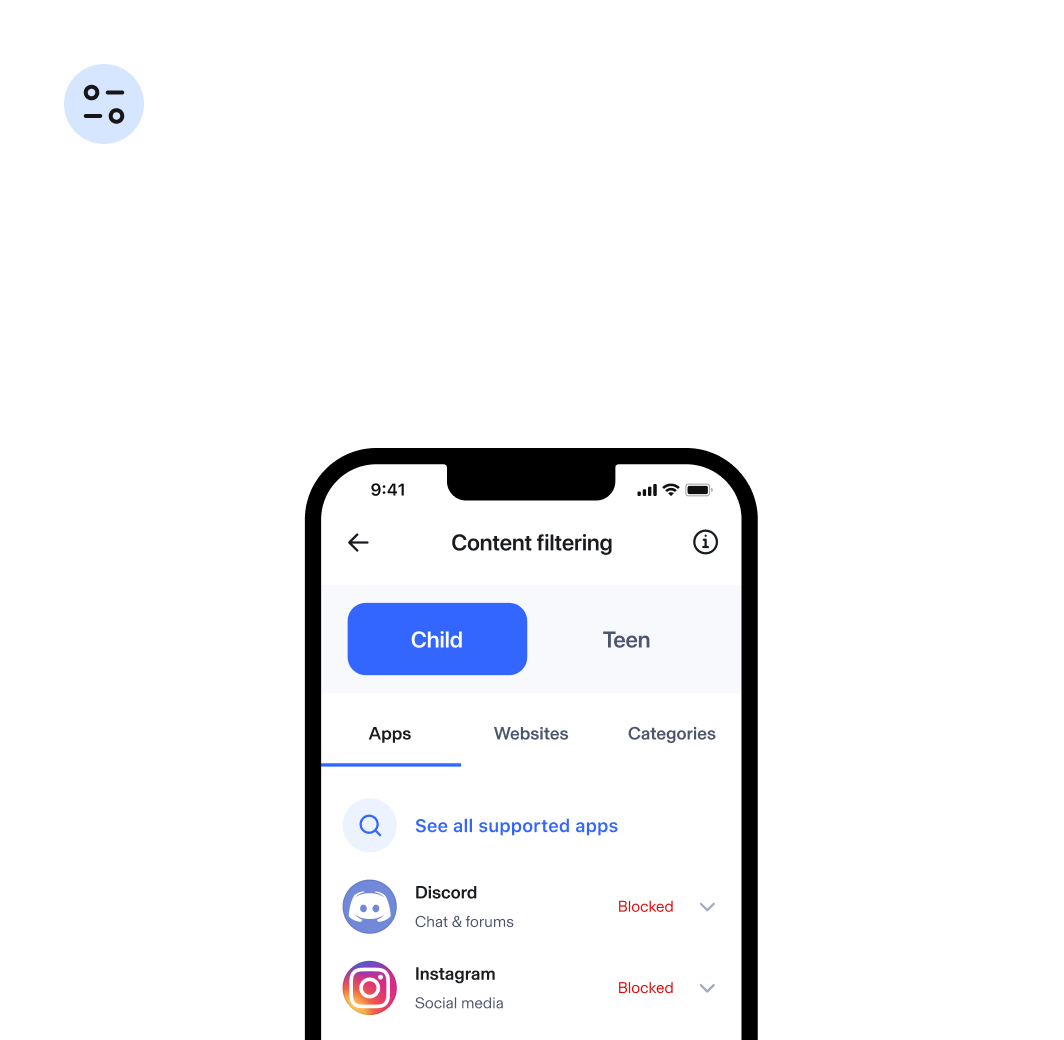
Content Filtering

Simply select apps, games and websites to limit, restrict, or allow unlimited access.

Aura App ScreenShot for Content Filtering

SafeSearch

With one tap on your child's profile, activate SafeSearch. SafeSearch filters out explicit and inappropriate content from search results on Google, Bing, and DuckDuckGo.

Aura App ScreenShot for Content Filtering

YouTube Restricted Mode

In your child's profile, toggle on YouTube Restricted Mode to block mature and harmful content and help control what your kids can view on YouTube.

Aura App ScreenShot for Content Filtering
Content filtering section that display Aura UI on the phone specifically content filtering feature for kids - Instagram and Discord
White frame that hold text and 5 browser logos: Chrome, Safari, Explore and Firifox

Content Filtering

SafeSearch

Simply select apps, games and websites to limit, restrict, or allow unlimited access.

With one tap on your child’s profile, activate SafeSearch. SafeSearch filters out explicit and inappropriate content from search results on Google, Bing, and DuckDuckGo.

YouTube Restricted Mode

In your child’s profile, toggle on YouTube Restricted Mode to block mature and harmful content and help control what your kids can view on YouTube.

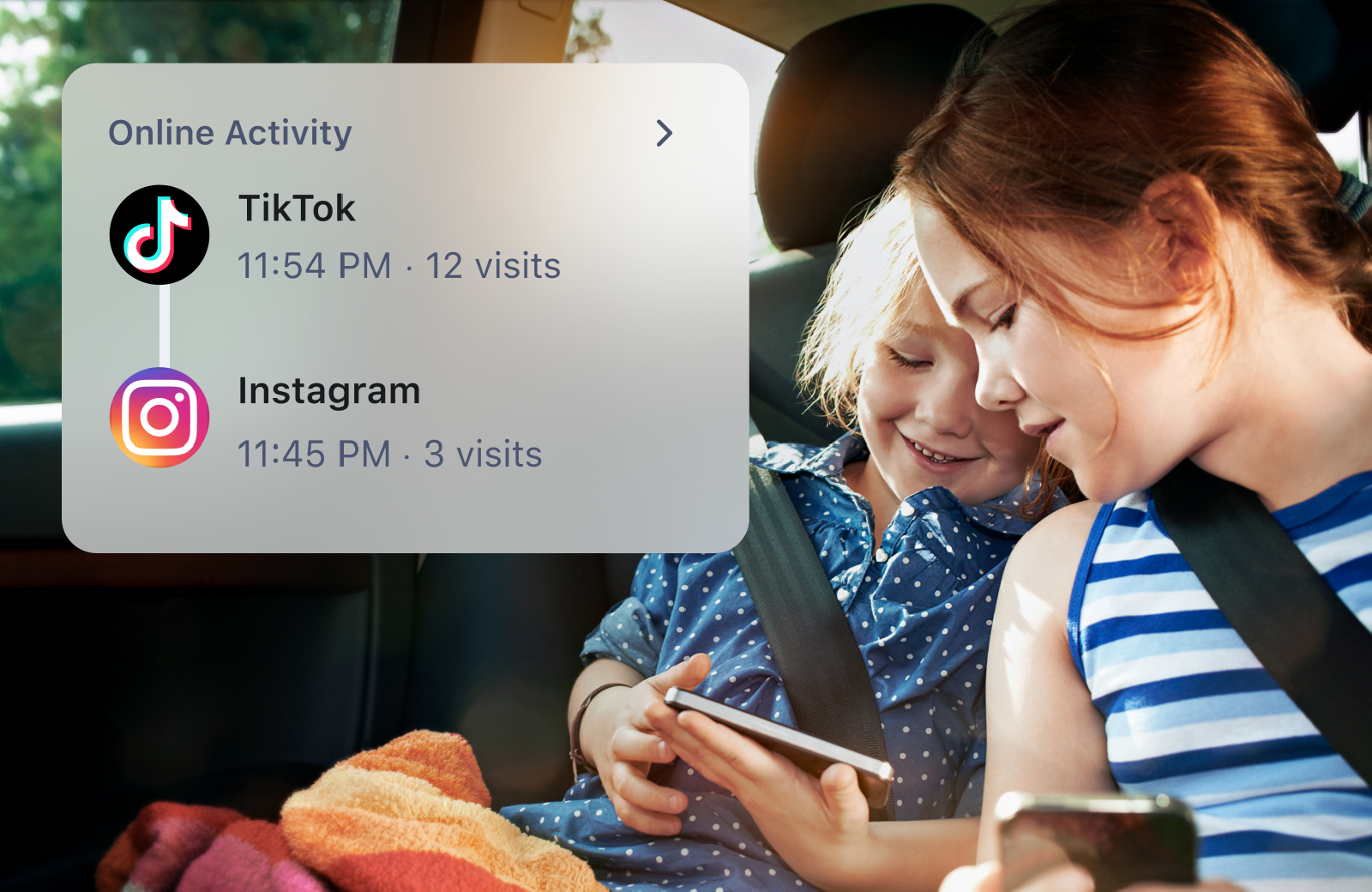
Know Where They’re Spending Their Time Online

You can’t be everywhere your kids are—and let’s be honest, you don’t want to be. Aura Parental Controls helps you understand how your kids are spending time online.

Two children in car viewing cell phones, Aura User Interface overlay showing onlive activity, TikTok 12 visits, and Instagram 3 visits.

History

Knowledge is power when it comes to protecting your kids. With History, know what your kids are viewing online and spot potential overuse of apps and websites.
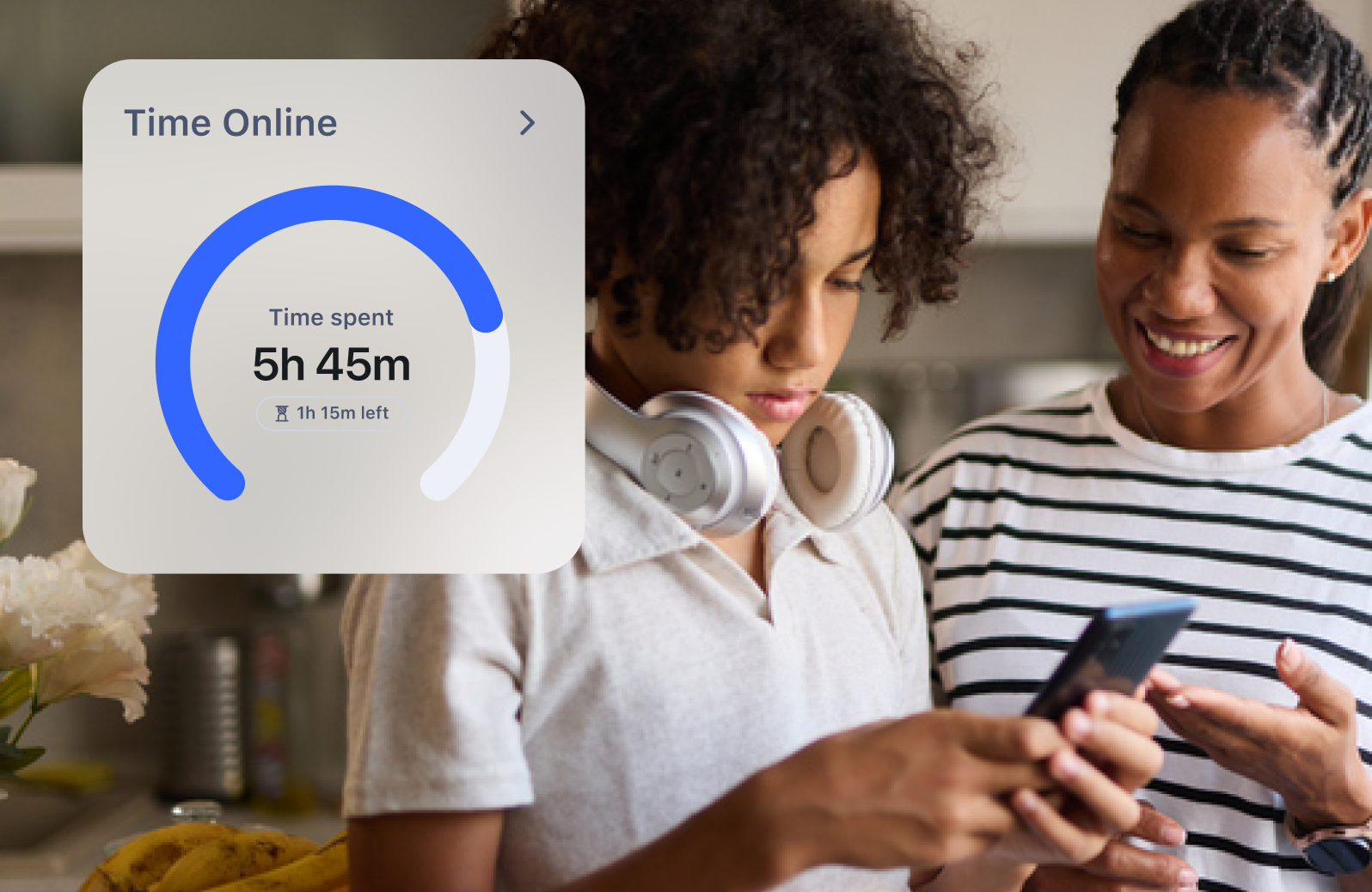
Tenn and parent viewing cell phone. Aura User Interface overlay showing Time Online widgfet. Time Spent: 5 hours 45 minutes, 1 hours 15 minutes left

Internet Usage

Get a complete picture of your kids' internet use across all devices so you can make informed decisions about the right amount of screen time.

Build Healthy Online Habits

Technology is an unavoidable part of everyday life. Help your kids develop balanced, healthy digital habits with Aura’s Time Limits, laying the foundation for a more constructive relationship with technology.

Bedtime

When Bedtime rolls around, your child’s devices will be automatically disconnected from the internet.
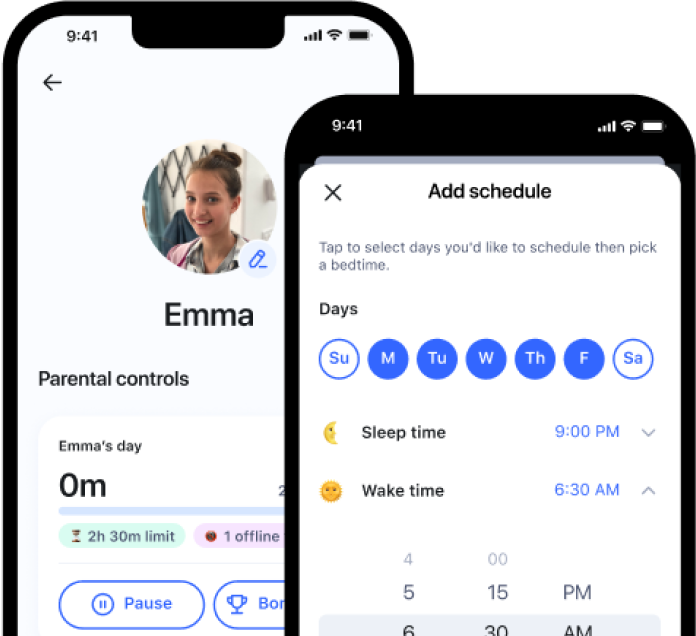
Aura App Bedtime Function Screnshot
Open Book Icon

Focus Time

Focus Time allows you to set times during the day with limited or no Internet distractions.

Aura App Focus Time Screnshot

Time Limits

Set customized Time Limits on your child’s app and website usage.
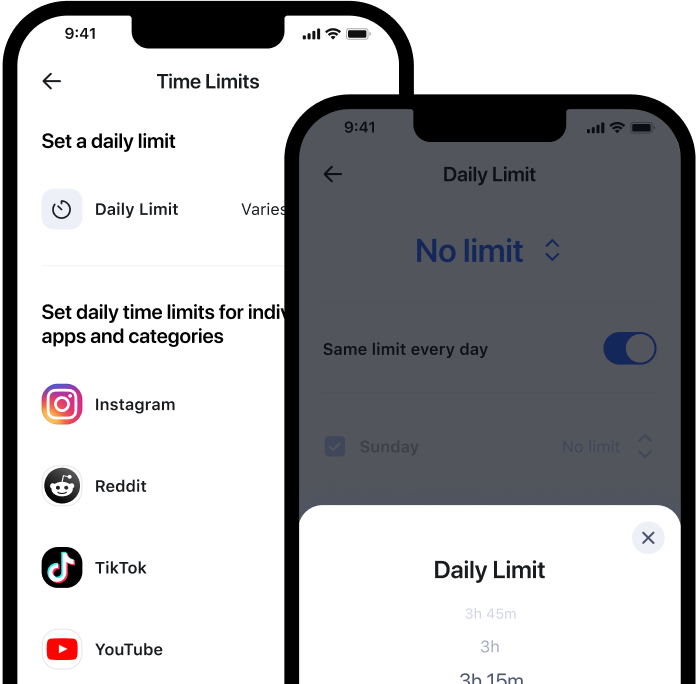
Aura App ScreenShot showing how to set Time Limits

Pause the Internet®

Easily enforce screen time limits with our Pause the Internet feature.
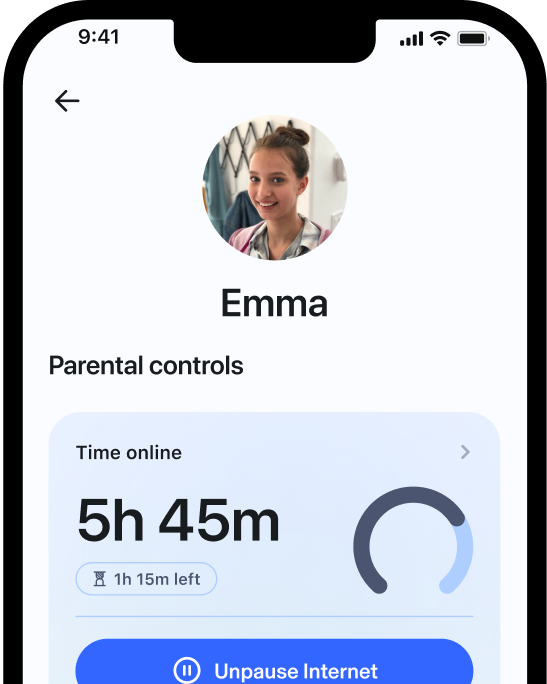
Aura App ScreenShot for pausing the internet at custom times.

Bonus Time

Reward your child’s successes by extending their daily time online.
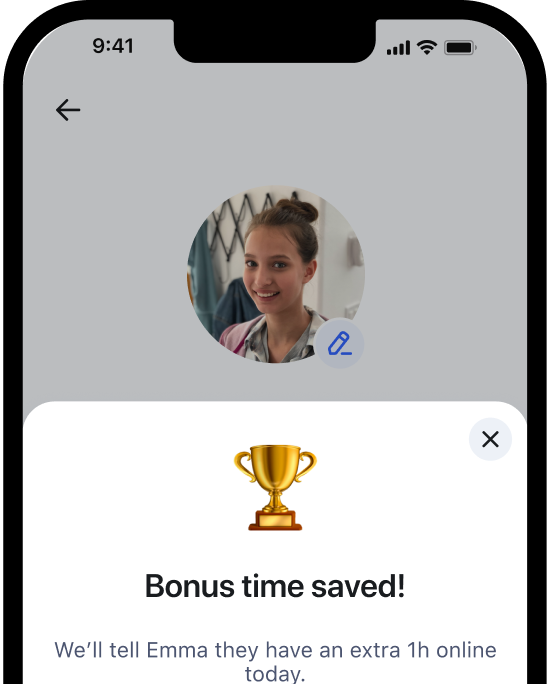
Aura App ScreenShot for giving a user bonus internet time.
Powered by AI

Get Deeper Insights Into Your Child’s Digital Wellbeing

Digital-first children need support to safely navigate the online world. Aura helps you understand if your kids are happy, healthy, and safe online and enables you to help them build healthier digital habits and online balance.

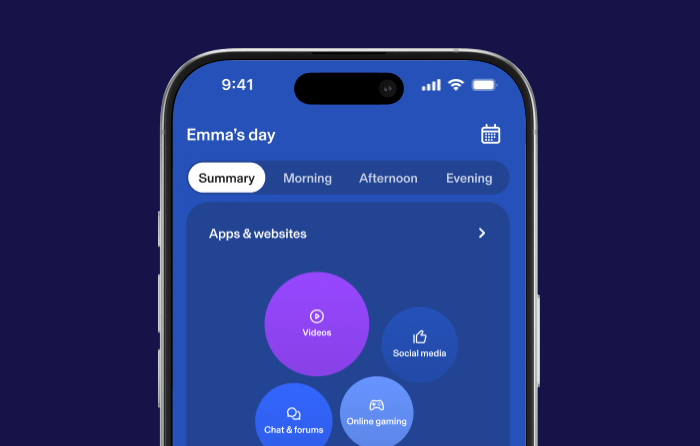
Aura Balance Insights Screenshot. Emma's Day showing a Summary of Apps & Websites.

Wellbeing Summary & Insights

View trends in your kid’s online routines, including changes to their social interactions, daytime activity, or sleep habits to help you spot meaningful changes in their wellbeing.
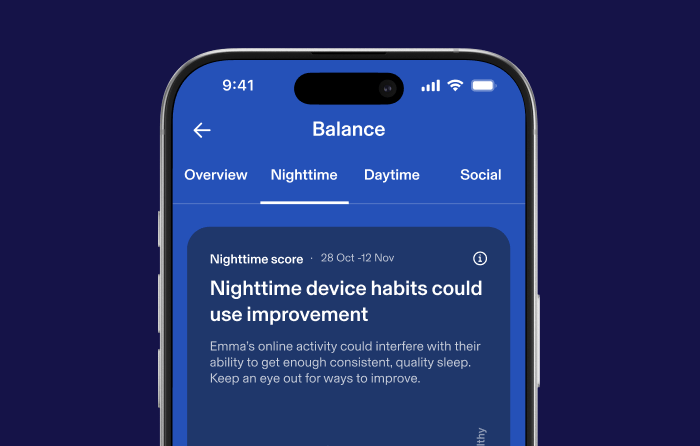
Aura Balance Nighttime Screenshot. Shows Nighttime Score indicating the user's nighttime device habits could use improvement.

Daytime & Nighttime Activity

Gain a personalized view of your kid’s online usage patterns, making it easier to understand behaviors that may impact their sleep or general well-being.
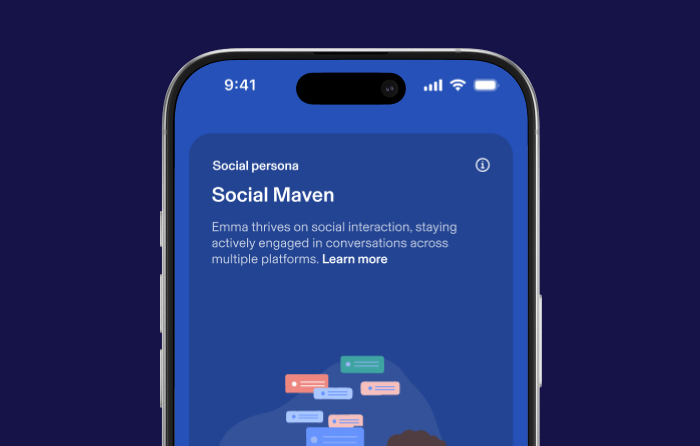
Social Persona Aura App Screenshot. Shows the user is a Social Maven that thrives on social interaction on multiple platforms.

Social Interactions & Messaging

Get insight into your kid’s social persona, including online messaging trends and the tone of their online interactions.
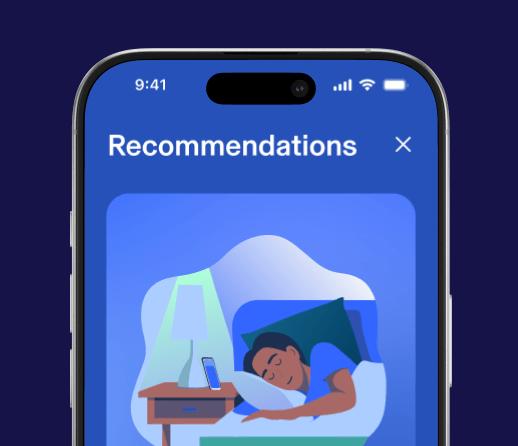
Personalized Recommendations Aura App Screenshot

Personalized Recommendations

Access science-backed recommendations, tips, and conversation starters based on your kid’s daytime and nighttime activity and their unique social persona.

Father and Son smiling with laptop
Young boy gaming on a desktop device with various gaming titles in the background(League of Legends, Overwatch, Adopt Me!, & more))

Safer Gaming with Predator Alerts. Powered by AI.

Keep your child safe from online predators, scams, and cyberbullying when playing online video games. Get alerted to threats with 24/7 in-game voice and text monitoring for over 200 of the most popular PC games. Powered by award-winning ProtectMe from Kidas.

The Safe Gaming feature is available for Windows PC only.

See How Aura Works

Ultimate Family Protection

Go beyond Parental Controls. Get the Ultimate Family plan to protect your entire family’s identity, privacy, and financial assets.

Parental Controls

Family Alerts & News Feed

Powered by Circle

Get alerts for the whole family, so you can take action fast. 

Protect your kids online. Filter harmful sites and manage screen time. 

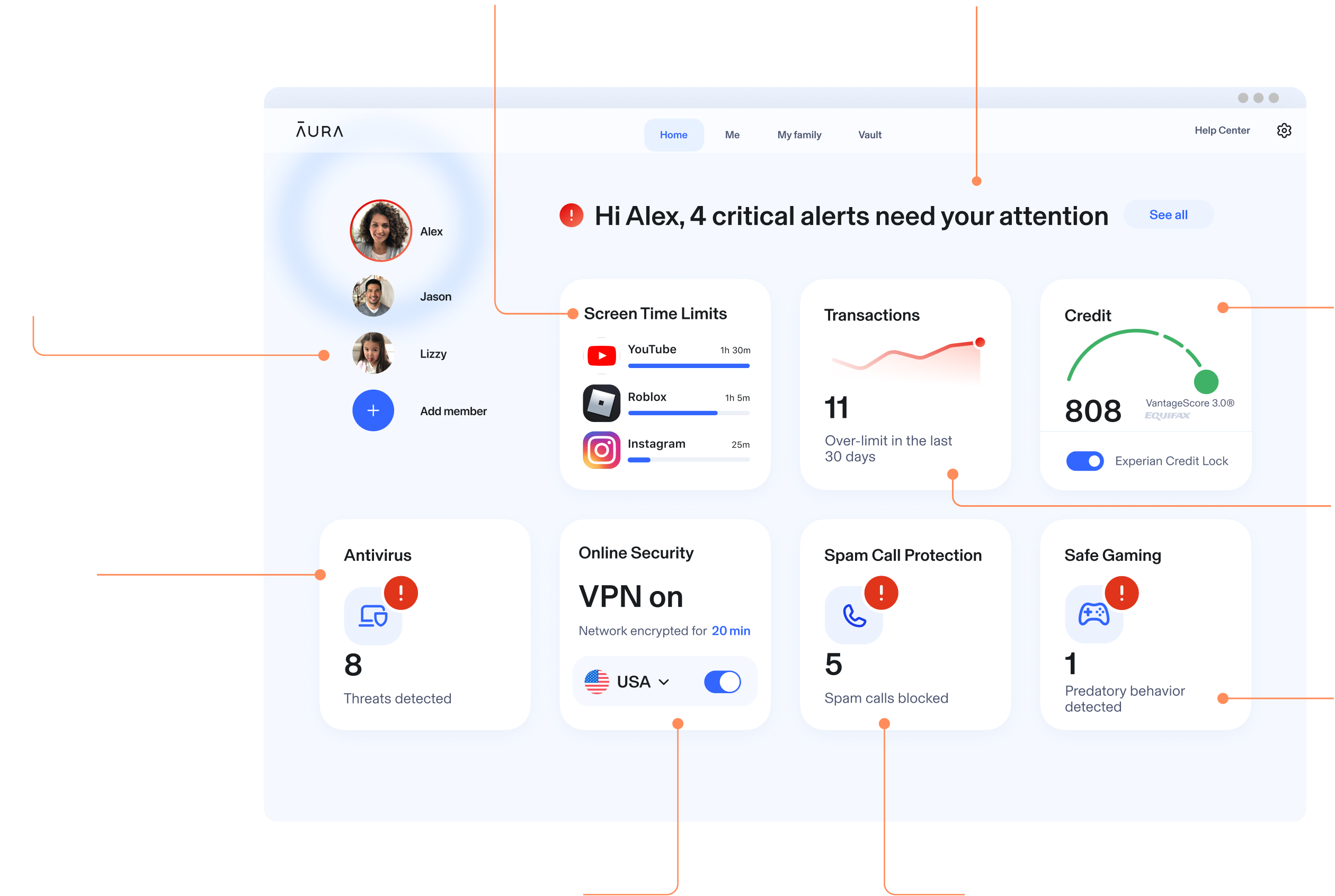
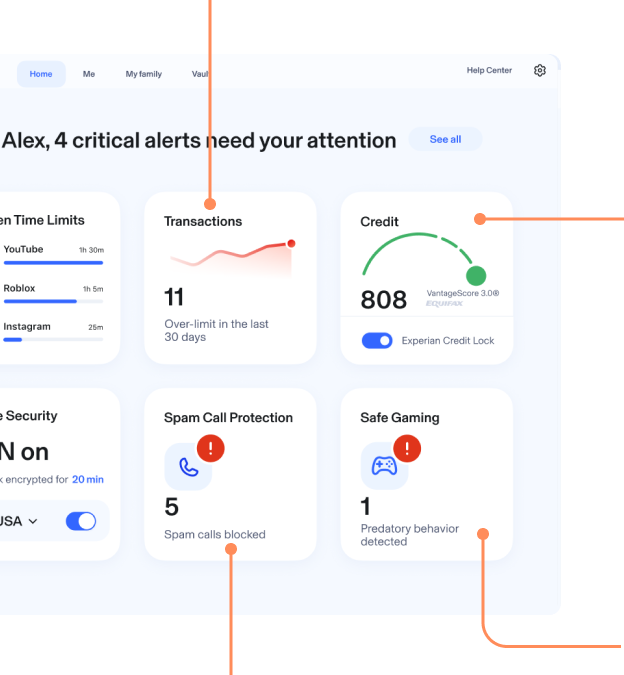
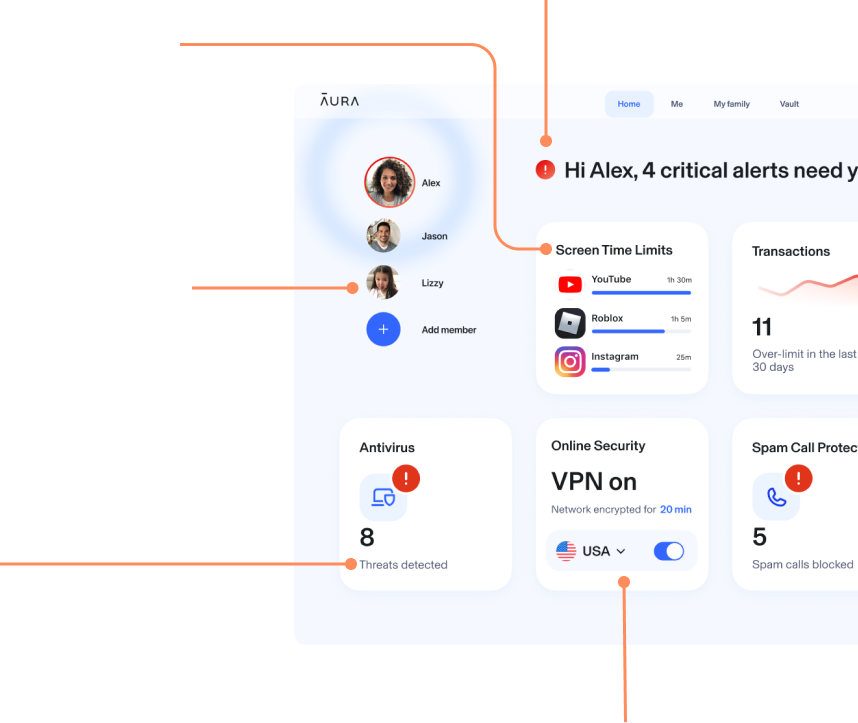
Aura Dashboard on a Desktop view showing Parental Controls, Identity Protection, Spam Call Protection, & more proactive protection.

3-Bureau Credit Monitoring + Credit Lock

Family Identity Protection

Get alerts if your online accounts, info, and SSN have been compromised.

Get alerted if someone tries to take out credit in your name. Instantly lock your Experian credit file.

Transaction Monitoring

Monitor financial accounts in one place. Set alerts to get notified of suspicious activity. 

Antivirus

Secure your devices from malware, ransomware, spyware and more.

Safe Gaming + Cyberbullying Alerts

Keep kids safe while they game online. Get alerts to predatory behavior. 

 VPN with Safe Browsing

Scam Call Protection

Block phone scams and spam with AI Call Assistant. (Family plan only)

Securely access the internet from anywhere with 100+ virtual locations. Blocks scam and phishing sites.

Aura Dashboard on a Desktop view showing Parental Controls, Identity Protection, Spam Call Protection, & more proactive protection.

Choose the Plan That’s Right for You

Try risk free with our 60-day money-back guarantee.² 24/7 customer support included with all plans.

Online Balance & Parental Controls

Kids

Unlimited kids & unlimited devices
$--
Save up to XX%
billed annually, or $--/mo billed monthly
Get Protection Now

Includes 14 Days Free

    Online Wellbeing

  • Day & Night Online Activity Overview
  • Social Interactions
  • Personalized Recommendations

    Parental Controls

  • Content Filtering & Site Blocking
  • Screen Time Limits & Scheduling
  • Pause the Internet®

    Safe Gaming with Cyberbullying & Predator Alerts

  • Cyberbullying & Predator Alerts for Gaming
  • In-game Voice & Text Monitoring
  • Weekly Gaming Activity Report

iOS only

Try Our Ultimate Family Plan!
Identity, Fraud & Child Protection

Family

5 adults, unlimited kids & unlimited devices
$--
Save XX%
billed annually, or $--/mo billed monthly
Get Protection Now

Includes 14 Days Free

  • Family & Child Identity Protection
  • $5M Identity Theft Insurance*
  • 3-Bureau Credit Monitoring
  • Instant Credit Lock
  • Home & Auto Title Monitoring
  • Financial Transactions Alert
  • Antivirus, VPN, Password Manager
  • People Search Sites & Spam Lists Removal
  • Parental Controls (all benefits from Kids plan)
  • Safe Gaming (all benefits from Kids plan)
  • AI Spam Call & Message Protection
  • Expert Fraud Remediation
Show all child safety plans
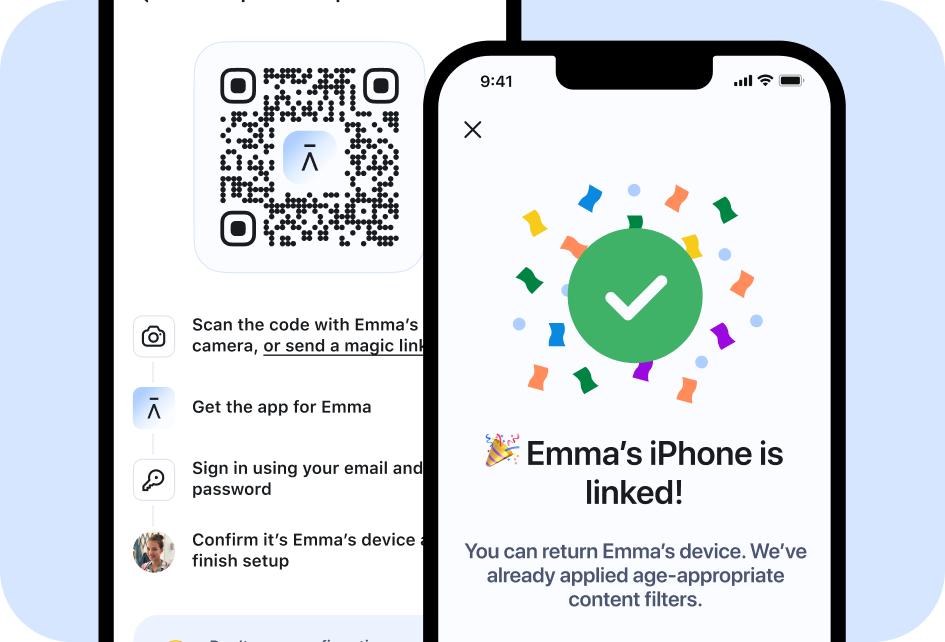
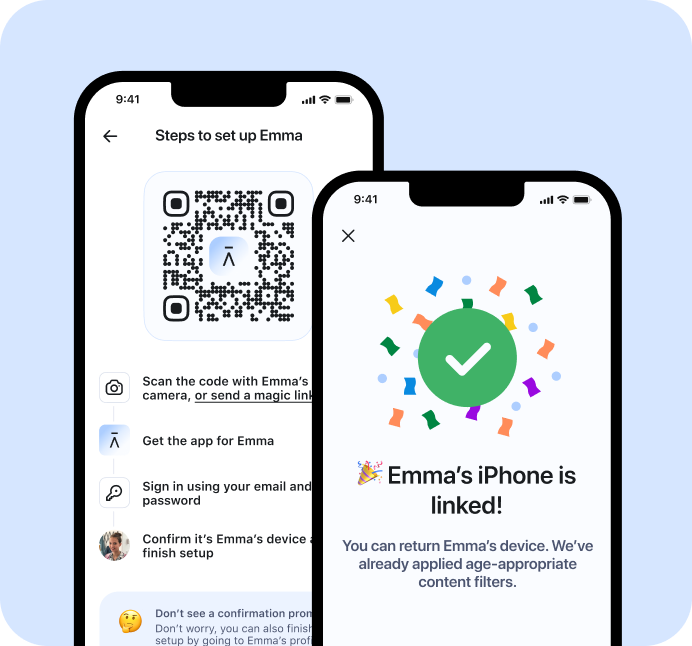
Two Aura mobile user interfaces. Left one displaying Steps to set up Emma with QR code instructing Emma to scan and download the app, sign in, and confirm device. Right mobile user interface shows Emmas iPhone is linked!

We Make Parental Controls Easy

We Make 

Parental Controls 

Easy.

Get started in under 5 minutes!

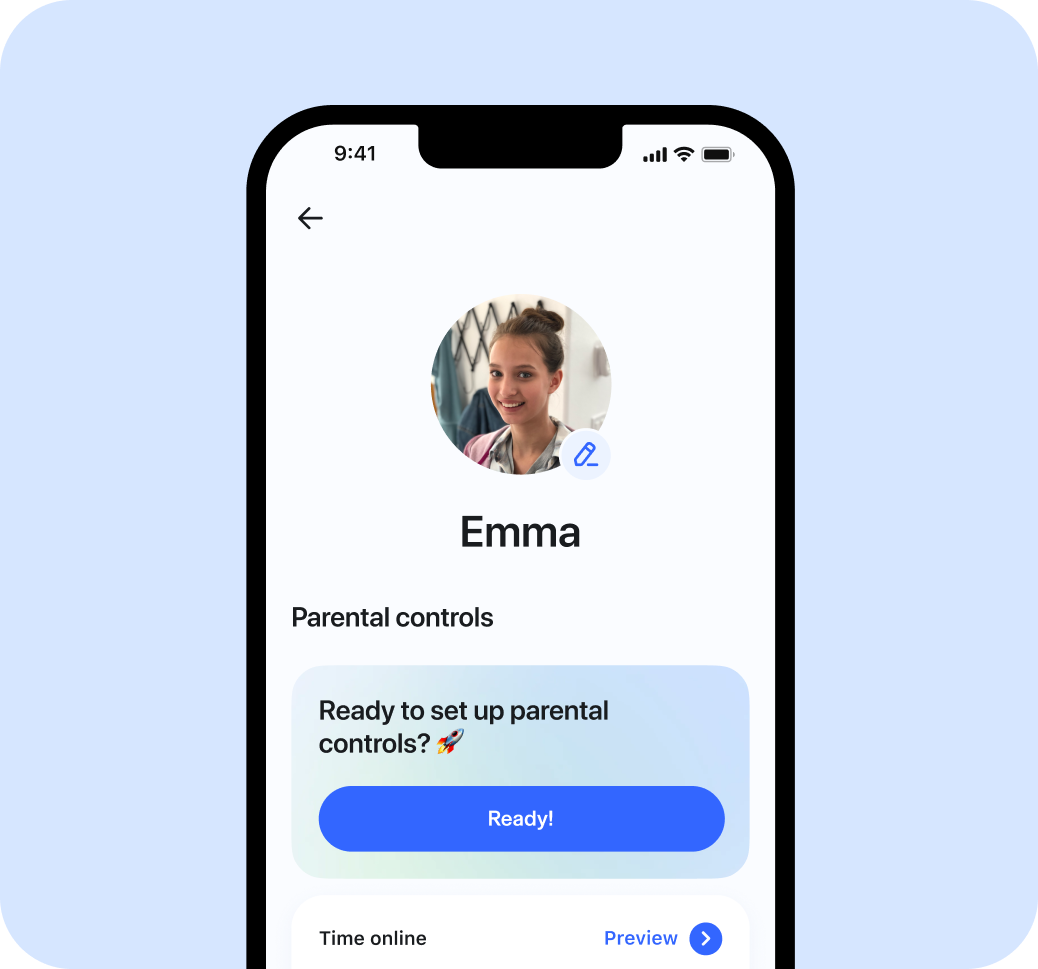
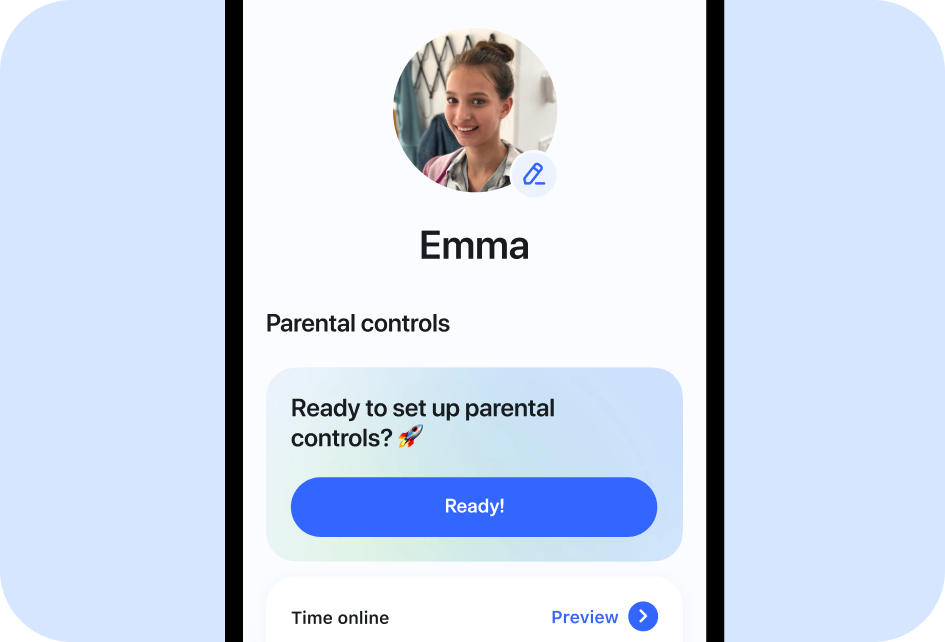
Aura mobile user interface displaying parental controls profile for Emma, with the first module asking Ready to set up Parental controls? Button with module says Ready!
Two Aura mobile user interfaces. Left one displaying Steps to set up Emma with QR code instructing Emma to scan and download the app, sign in, and confirm device. Right mobile user interface shows Emmas iPhone is linked!
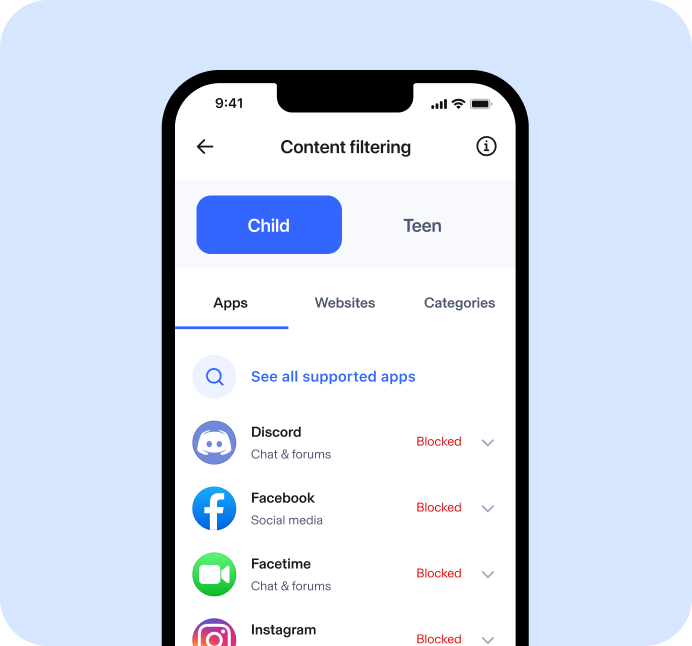
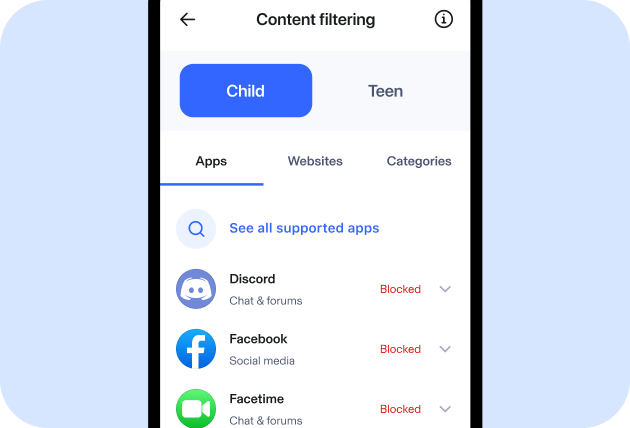
Aura mobile user interface for content filtering displaying a toggle between child and teen, with ability to filters by apps, websites, or categories. Screen shows Discord, Facebook, FaceTime, and Instagram are blocked.
Aura mobile user interface displaying parental controls profile for Emma, with the first module asking Ready to set up Parental controls? Button with module says Ready!
Round Number 1 on Blue Background

Add Your Child


Round Number 2 on Blue Background

Link Their Devices


Round Number 3 on Blue Background

Customize!

Aura mobile user interface for content filtering displaying a toggle between child and teen, with ability to filters by apps, websites, or categories. Screen shows Discord, Facebook, FaceTime, and Instagram are blocked.

Simply add your child to get started today.

Scan the QR code to link your child's phone and tablet. 

Tailor time limits, scheduling and content restrictions for each child.

Sign up for Aura to get started. 

Checkmark inside of a shield

See What Parents Are Saying

“I am able to set time limits so I can make sure my son is balancing the real world with device usage, which I like. I also like that I’m able to block or allow certain websites.”

“The app is great! Really shows you how much your kid is on their devices. I’m glad to have an app where I can easily control what’s allowed.”

Your Kids Will Try to Hack It

Far better than Bark. Great for my daughter and for keeping an eye on my aging mom.

Parent Tested Parent Approved Survey Feedback⁸

It’s not perfect and if you’re not careful you can end up with conflicts between other products, built-in iOS screen time controls and your kid continually trying to work around it. We finally sat down with her and said, “Look, we get it. You’re the kid who wants to look at something. You can’t and so it’s your job to try and hack or work around it. That’s what kids do. But as parents, it’s our job to protect you and keep you safe on the internet. Game on!” 😅 My daughter is 12 and pretty smart but it’s her winning about 1% of the time and Aura 99%. That’s pretty good in my book.

Parent Tested Parent Approved Survey Feedback⁸

“Easy and helpful for keeping kids safe in this world full of tech!”

Parent Tested Parent Approved Survey Feedback⁸

— Brenden Wright

    Trustpilot, 02.11.2025

By the Numbers

Parent Tested Parent Approved Award survey results⁸

94%

88%

88%

of parents would recommend Aura to other parents.

of parents claimed it was very easy to set up and customize the app to their needs.

of parents claimed that Aura is much better than the competition

By the Numbers

Parent Tested Parent Approved
Award survey results8
94%

of parents would recommend Aura
to other parents.

88%

of parents said it was easy to set up
and customize the app.

88%

of parents said Aura is much better
than the competition.

PTPA Badge
Black Aura Logo

© Aura {YEAR}. All rights reserved.

* The Identity Theft Insurance is underwritten and administered by American Bankers Insurance Company of Florida, an Assurant company. Please refer to the actual policies for terms, conditions, and exclusions of coverage. Coverage may not be available in all jurisdictions. Review the Summary of Benefits.


** Free trial offer can only be redeemed once per customer. Full access to plan features depends on identity verification and credit eligibility.


† Message Protection is iOS only


¹ The score you receive with Aura is provided for educational purposes to help you understand your credit. It is calculated using the information contained in your TransUnion or Experian credit file. Lenders use many different credit scoring systems, and the score you receive with Aura is not the same score used by lenders to evaluate your credit.


‍² 60-day money back guarantee is only available for our annual plans purchased through our websites or via our Customer Support team. You may cancel your membership online and request a refund within 60 days of your initial purchase date of an eligible Aura membership purchase either through your Aura Account Membership portal or by calling us at 1-855-712-0021. If you signed up for Aura through a free trial, then your membership purchase date will be the date you signed up for your free trial, and you will have 60 days from the date you signed up for your free trial to cancel and request a refund. If you switched to a new annual plan within 60 days of your initial Aura annual subscription, you may still qualify for the Money Back Guarantee (based upon your initial annual plan purchase date).


³ As compared to the competition. Results based on a 2022 mystery shopper consumer study conducted by ath Power Consulting. ath Power Consulting was compensated by Aura to conduct this study.


⁴ Child members on the family plan will only have access to online account monitoring and social security number monitoring features. All adult members get all the listed benefits.


⁵ FBI IC3 Report, 2022


⁶ Forbes: “Google Registers Record Two Million Phishing Websites In 2020”


⁷ Rated #1 by IdentityProtectionReview.com as of Dec. 2021.


No one can prevent all identity theft or monitor all transactions effectively. Further, any testimonials on this website reflect experiences that are personal to those particular users, and may not necessarily be representative of all users of our products and/or services. We do not claim, and you should not assume, that all users will have the same experiences. Your individual results may vary.