Parental controls built for safety and digital wellbeing
XX%
Monitors messages sent across all apps
Filter and block websites and apps
Get personalized digital wellbeing insights
Set custom screen time limits
Parental Controls available on iOS & Android
Safe Gaming by Kidas available on Windows PC
Parenthood partners:
“I’m a husband, a dad, a human, and I’m hardwired to protect my family. I'm joining Aura to tackle the issue of online safety for families head-on.”
Robert Downey Jr.
Let them explore – with boundaries
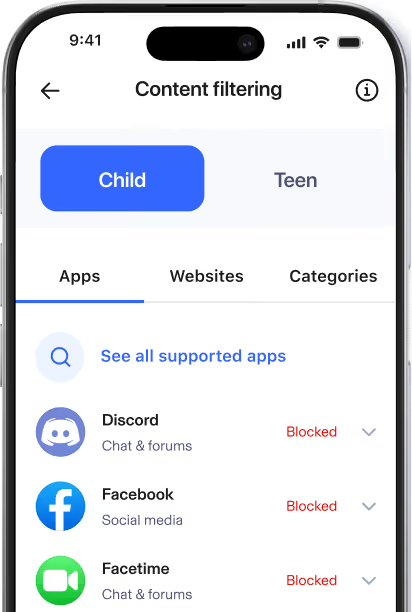
The internet offers limitless opportunities, good and bad. Aura Parental Controls blocks harmful content and lets you filter apps and websites to create boundaries that work for your family.
Content Filtering
Simply select apps, games and websites to limit, restrict, or allow unlimited access.
SafeSearch
With one tap on your child's profile, activate SafeSearch. SafeSearch filters out explicit and inappropriate content from search results on Google, Bing, and DuckDuckGo.
YouTube Restricted Mode
In your child's profile, toggle on YouTube Restricted Mode to block mature and harmful content and help control what your kids can view on YouTube.
Content Filtering
SafeSearch
Simply select apps, games and websites to limit, restrict, or allow unlimited access.
With one tap on your child’s profile, activate SafeSearch. SafeSearch filters out explicit and inappropriate content from search results on Google, Bing, and DuckDuckGo.
YouTube Restricted Mode
In your child’s profile, toggle on YouTube Restricted Mode to block mature and harmful content and help control what your kids can view on YouTube.
Know where they’re spending their
time online
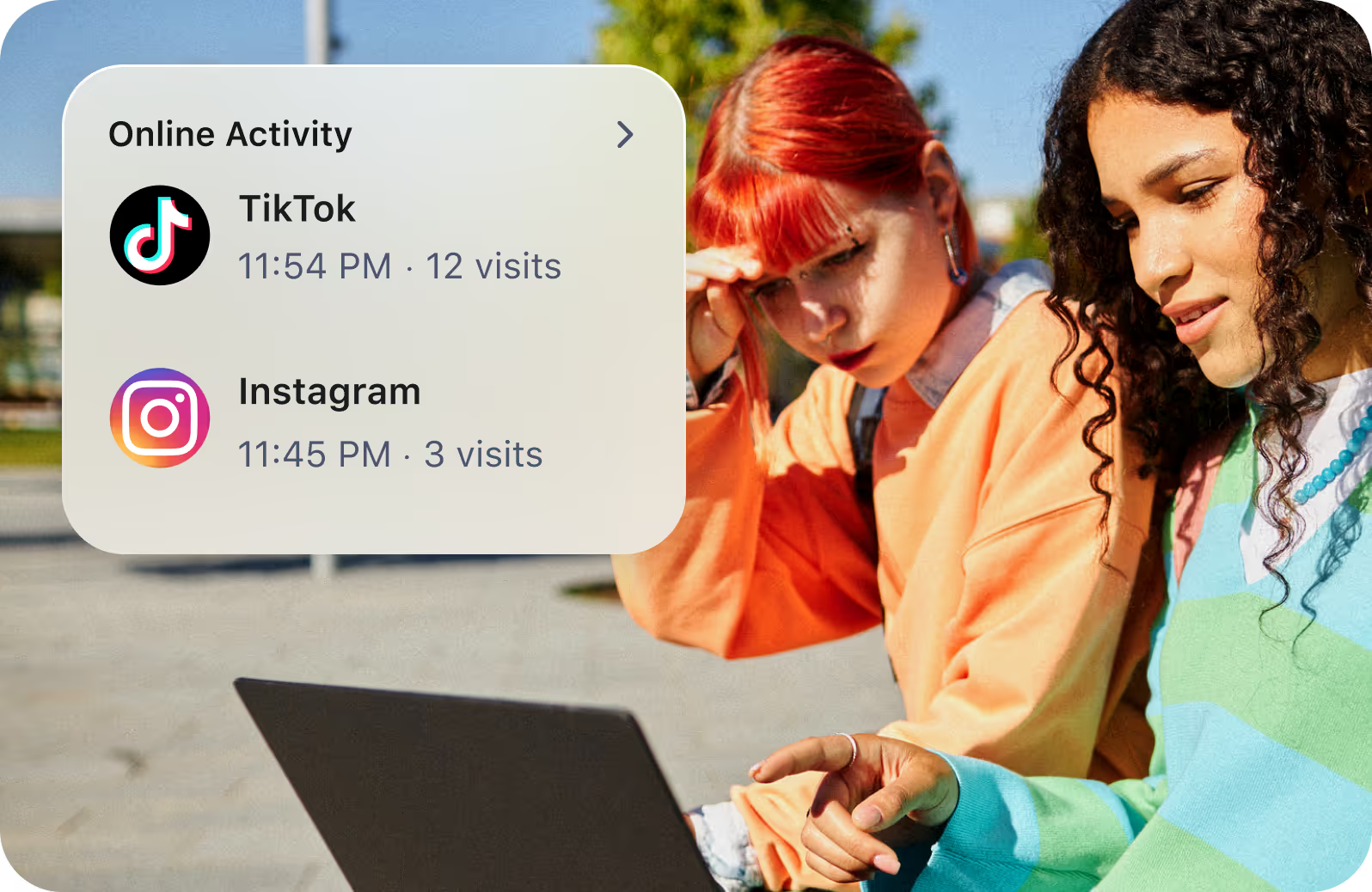
You can’t be everywhere your kids are—and let’s be honest, you don’t want to be. Aura Parental Controls helps you understand how your kids are spending time online.
History
Knowledge is power when it comes to protecting your kids. With History, know what your kids are viewing online and spot potential overuse of apps and websites.
Internet usage
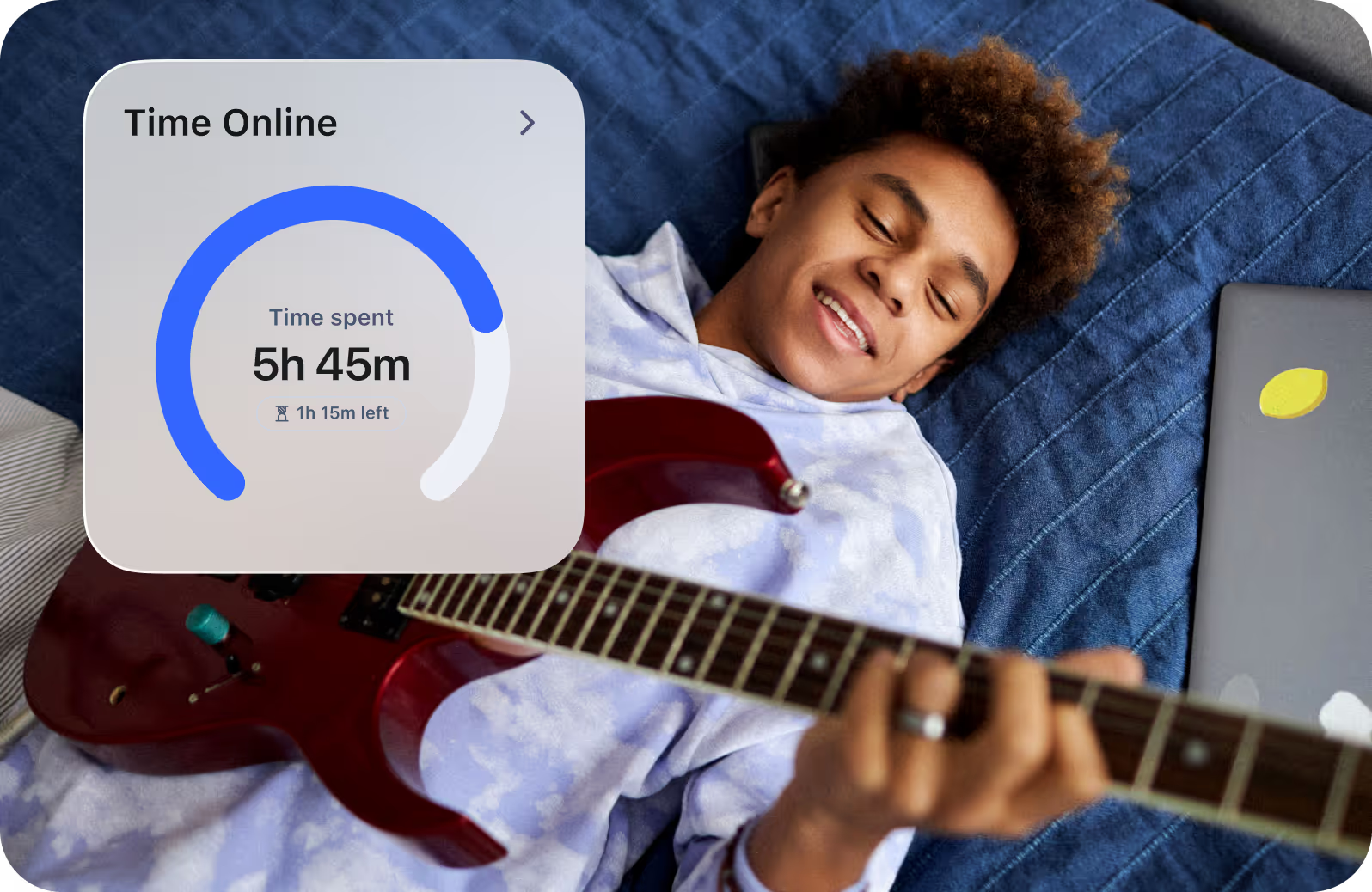
Get a complete picture of your kids' internet use across all devices so you can make informed decisions about the right amount of screen time.
AI Chat App Alert
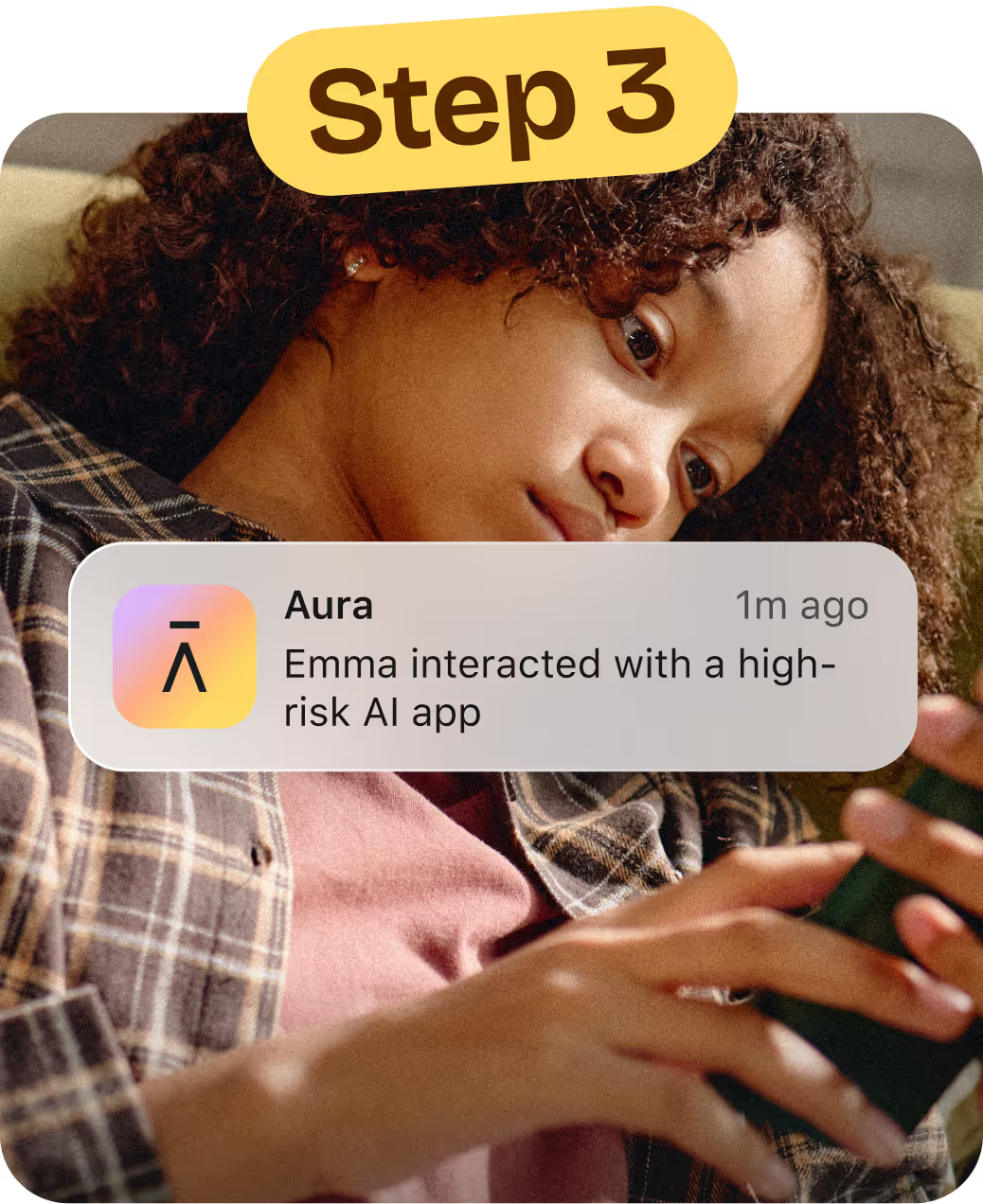
Introducing AI Chat App Alerts — get alerted when it matters
Alerts: Get notified when your child starts a conversation with a high-risk AI chat app.
AI Chat Insights: See AI app message volume and tone so you know when to check in.
“Aura has helped me with a lot of fear that I had about getting a phone in my teen’s hands. It has helped to keep phone usage and activity as an open conversation in our home and keep our teen accountable, safe, and trusted.”
Rebecca,
mom to 14-year old son*
*Customer received complimentary Aura subscription and merchandise for their time and feedback
Get deeper insights into your child’s digital wellbeing
Kids are navigating a digital world with real risks. Aura Parents helps you understand if your kids are happy, healthy, and safe online and enables you to help them build healthier digital habits and online balance.
-
Identify trends and patterns
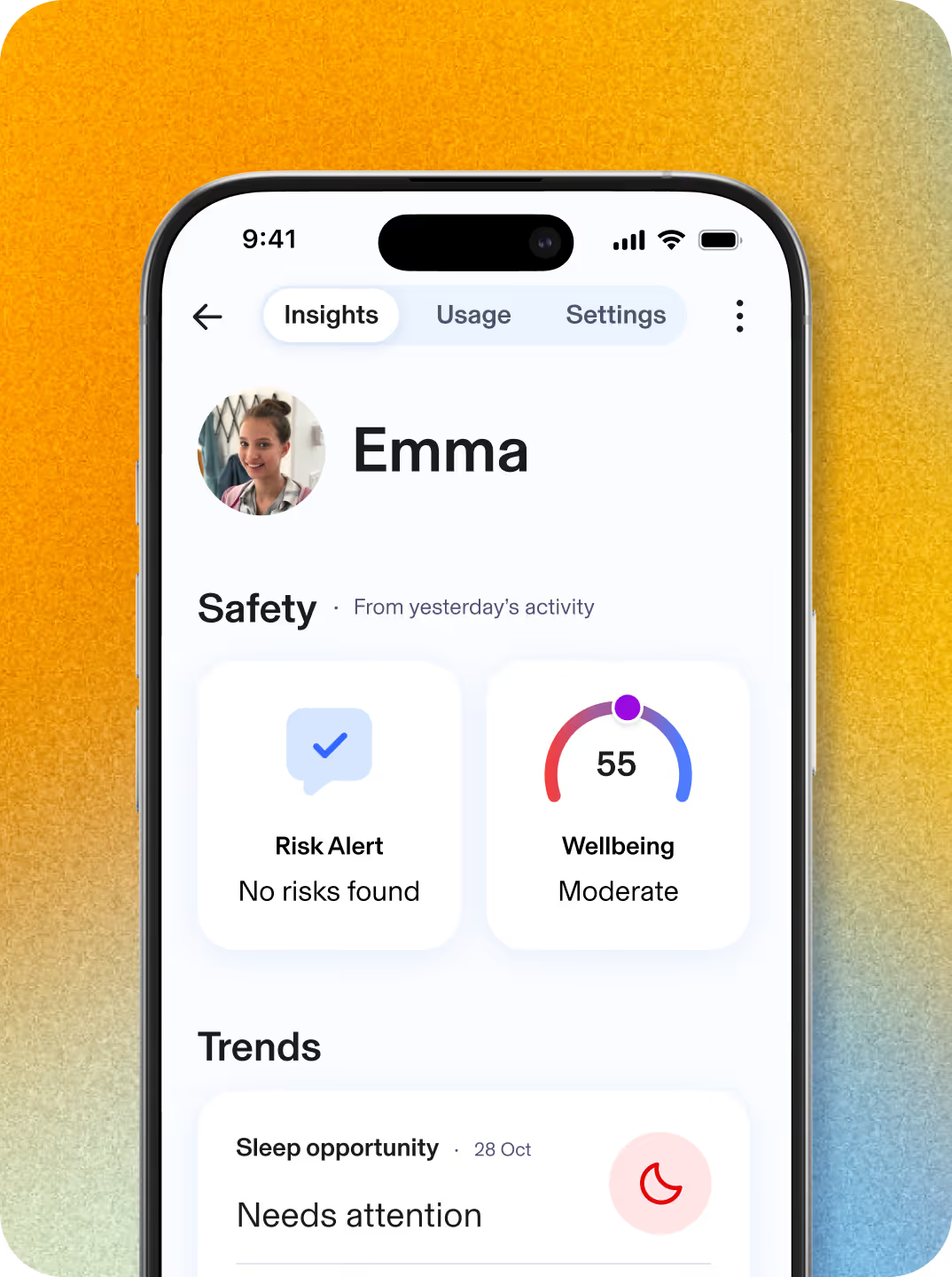
View trends in your kid’s online routines, including shifts from their baseline of social interactions, daytime activity, or sleep habits, to help you spot meaningful changes in their wellbeing
-
Daytime and nighttime activity
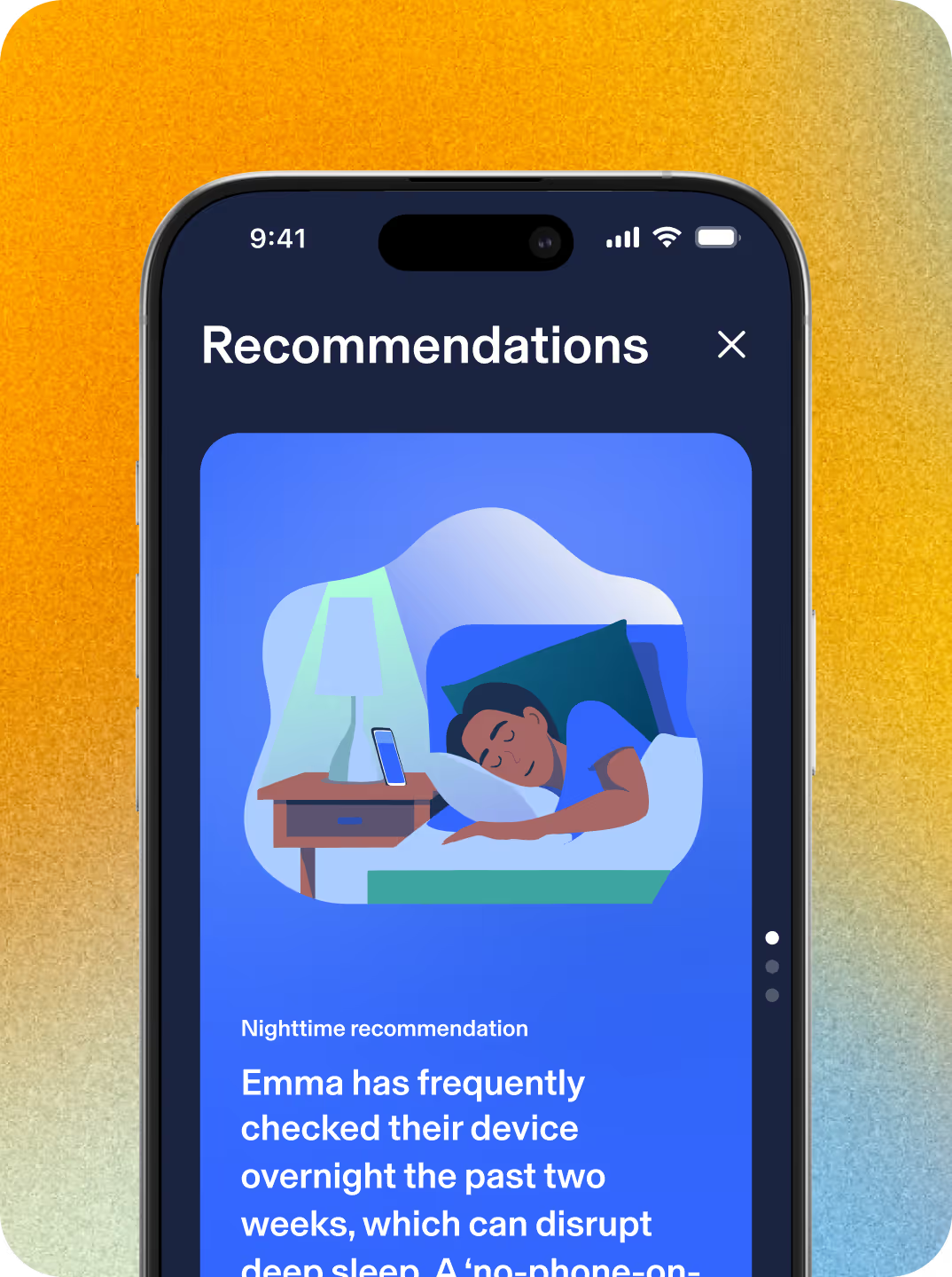
Gain a clear and personalized view of your kid’s online usage patterns throughout the day and overnight, making it easier to understand behaviors that impact healthy habits or might interfere with their sleep.
-
Social interactions
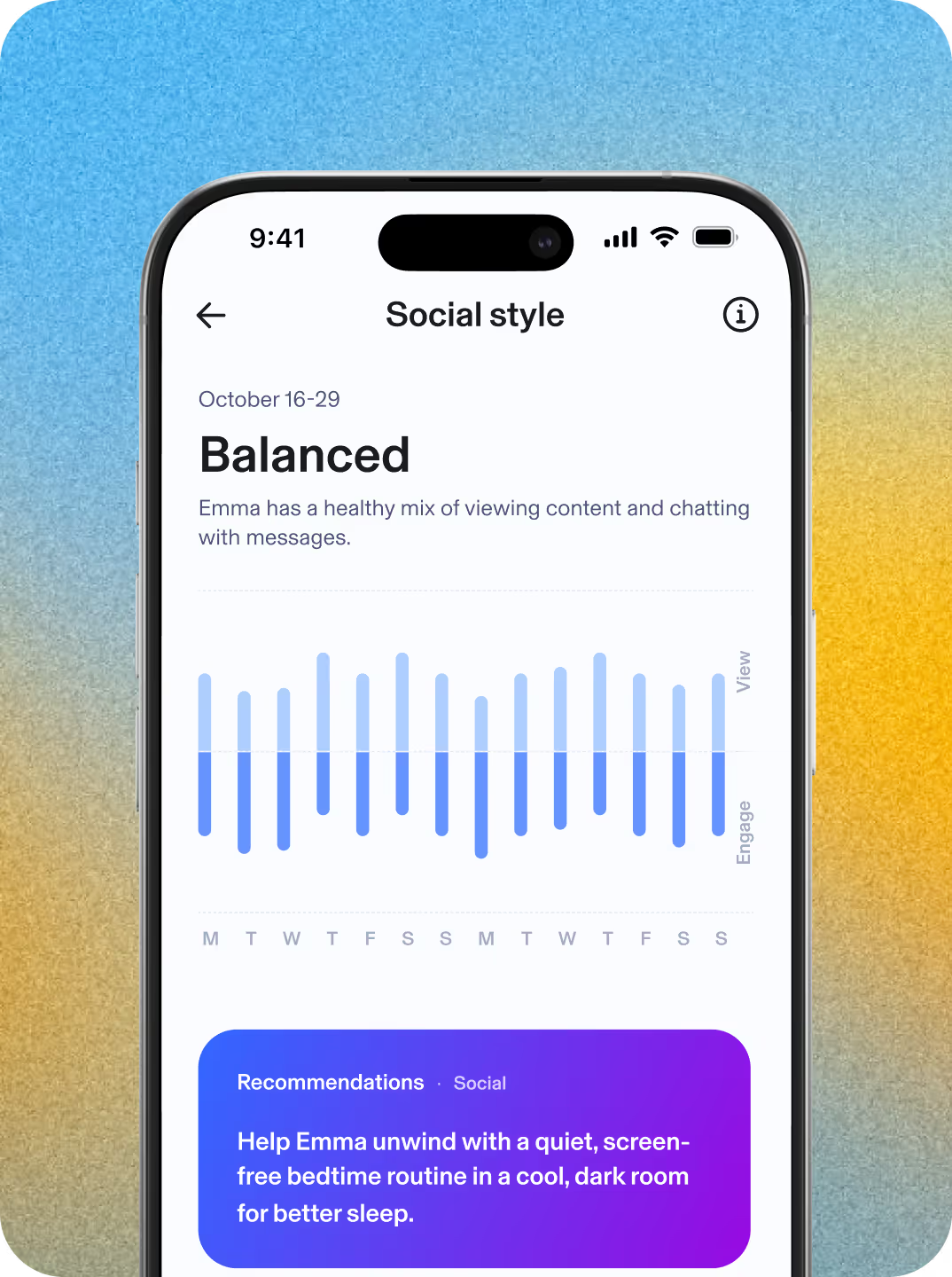
Get insight into your kid’s social behavior patterns, including their engagement style and the volume and tone of their online interactions. Uncover their unique social persona based on their social patterns.
-
Personalized insights
Access science-backed recommendations, tips, and conversation starters based on your kid’s daytime and nighttime activity and their unique social persona.
Aura Parents has partnered with Common Sense Media to set a new standard for what responsible technology and empowered parenting can look like—helping families understand their children's online worlds, identify risks, and raise kids who thrive both online and off.
Aura is a proud partner of Common Sense Media
Safer gaming with predator alerts. Powered by AI.
Keep your child safe from online predators, scams, and cyberbullying when playing online video games. Get alerted to threats with 24/7 in-game voice and text monitoring for over 200 of the most popular PC games. Powered by award-winning ProtectMe from Kidas.
The Safe Gaming by Kidas feature is available for Windows PC only.
See why families love Aura Parents
= Developed in partnership with clinical psychologists
| Features | Aura | Bark |
|---|---|---|
|
Content Filtering
Set a filter level for each family member. |
||
|
Screen Time Limits
Customize Screen Time Limits for each kid's profile and set different limits for apps, categories of sites, and a Daily Time Limit. |
||
|
Focus Time, Bedtime, and Schedules
Set Bedtimes, Focus Times, and custom Schedules to restrict apps at certain times or disconnect from the internet altogether. |
||
|
Pause the Internet®
Pause the Internet at the press of a button. Hit unpause when you're ready to give back their internet access. |
||
|
Daytime & Nighttime Usage Trends
View trends in your kid's online usage and routines, as well as shifts in their social interactions, daytime activity, or sleep habits. |
||
|
Wellbeing Score
Understand how consistent your kid’s digital wellbeing is with a unique indicator based on digital signals. |
||
|
Messaging Insights
See where your child is messaging—across games, social media, and texts—and understand tone, volume, and timing. |
||
|
Weekly Snapshot
Get the highlights of weekly online activities to support ongoing conversations. |
||
|
AI Chat App Alert
Get notified when your child starts a conversation with a high-risk AI app. |
||
|
AI App Monitoring
See which AI apps your kid is using and understand overall tone and themes in messaging activity. |
||
|
Risk Signals
Get alerts when conversations may discuss self-harm. |
Get the insights you need to guide and protect your child online with Aura Parents
Covers unlimited kids and devices

Aura Parents
Plan covers unlimited kids & unlimited devices!
Available on iOS (phones and iPads) and Android (phones and tablets).*
Parental Controls
-
-
Block Apps & Websites
Keep out distractions and harmful content. -
Set Screen Time Limits
Help your child build healthier habits. -
Create Focus Times & Bedtimes
Schedule device-free time for school, sleep, or family.
-
Block Apps & Websites
-
-
Pause the Internet®
Pause online access with one click. -
Safe Gaming by Kidas
Get notified of risks in gaming chats.
(Windows PC only)
-
Pause the Internet®
Online Wellbeing Insights
-
-
Messaging Insights
Find out which apps your child is using to message. See message volume and tone. -
Daytime & Nighttime Usage Trends
See patterns in daily routines and overnight device use.
-
Messaging Insights
-
-
Wellbeing Score
A research-informed indicator that reflects your child’s digital wellbeing. -
Weekly Snapshot
A clear, weekly summary to support better conversations.
-
Wellbeing Score
Risk Alerts
-
-
AI App Monitoring & Alerts
See which AI chat apps your child uses and get notified about high-risk conversations.
-
AI App Monitoring & Alerts
-
-
Risk Signals
Alerts when messages may indicate self-harm risk.
-
Risk Signals
Frequently asked questions
Aura’s Parental Controls features work on Apple iPhones and iPads (iOS 16 or later) but not iPods, and Android devices (Android 12.0 or later).
Aura’s Safe Gaming by Kidas features work on computers that run Windows.
In-game communication monitoring is available on over 200 of the most popular PC games and gaming communication platforms, including Apex Legends, Roblox, Fortnite, World of Warcraft, and Discord. See the full list of games covered.
You can change the settings on your child’s device to prevent them from deleting or disabling Aura’s parental controls app. Here’s what to do:
On iOS:
- Navigate to Settings on your child’s iPhone or iPad.
- Tap Screen Time, then Content & Privacy Restrictions.
- Scroll down and tap on iTunes & App Store Purchases.
- Tap on Deleting Apps and select Don’t Allow.
On Android:
- You’ll first need to make sure you have Google Family Link app set up on your child’s device
- Then, open Google Play Store and tap on Account.
- Select Family, then Manage Family Members.
- Tap on your child’s account and change the app permissions settings to restrict app deletion.
- Talk about safe online behavior: Online safety requires regular communication with your child. Aura provides examples and resources to help families with children of all ages feel more comfortable approaching this topic.
- Update privacy settings: Most apps, social media sites, and even gaming consoles like Nintendo Switch and Playstation have privacy settings you can update to limit who can interact with your child. Check the service or manufacturer’s website for specific information on changing privacy settings.
- Learn about your device’s built-in settings: For example, Apple iOS devices allow parents to restrict app downloads, change privacy settings, and filter content (music, movies, apps, and TV shows) based on content ratings.
- Enable SafeSearch and other kid-friendly features: You can update your web browser (such as Chrome or Safari), search engine, or even YouTube (under YouTube Kids) settings to help prevent your child from stumbling onto adult content.
- Educate yourself about social media use and trends: Knowing how your kids use apps and social media sites can help you proactively protect them against online risks and dangers. Read more about social media safety for kids.
Unfortunately, there’s no “perfect age” for your child to get their own phone. The decision will depend on their maturity level, your trust in them, and your unique situation. To help you understand if your child is ready for a phone, take our free online quiz.
If you still have questions about Aura’s parental controls or family safety plans, you can check our FAQ page, or call our U.S.-based support team 24/7 at: 866-692-1079.
Aura takes privacy seriously. Data is used only to improve our products and support research that benefits families. You can find more details in our privacy policy.
A good time to consider using parental controls is when your kid gets their first device or smartphone or starts using a device without supervision.
Aura’s parental controls help you to understand and control your child’s activities on their devices. For example, you can block inappropriate content, set time limits for specific apps and receive notifications when they go over, view their web browser history, and get insights into their online activity.
Kids today are surrounded by technology and their relationship with it changes over time. At times, you may want to consider adjusting your parental controls settings for each child’s account. Aura Parental Controls are flexible and customizable making them a great tool for kids of all ages.
Your Aura plan includes access to ProtectMe, a safe-gaming software solution offered by Kidas for your family’s PC. ProtectMe by Kidas is designed to scan gaming-related communications in the background and send alerts to your email if cyberbullying or online predators are detected. Each week, you’ll get a report with your child’s overall threat severity exposure score, a breakdown of threats detected, and gaming time insights. To access this feature, you will need to download and install the Aura desktop app and then download and install ProtectMe by Kidas on your child’s PC. More information about this third-party service is available on the Kidas website.
Take the next step to protect your child online. Call us at 1-888-905-5350 to learn more about our award-winning child safety features.
Frequently asked questions
Aura’s Parental Controls features work on Apple iPhones and iPads (iOS 16 or later) but not iPods, and Android devices (Android 12.0 or later).
Aura’s Safe Gaming features work on computers that run Windows.
In-game communication monitoring is available on over 200 of the most popular PC games and gaming communication platforms, including Apex Legends, Roblox, Fortnite, World of Warcraft, and Discord. See the full list of games covered.
You can change the settings on your child’s device to prevent them from deleting or disabling Aura’s parental controls app. Here’s what to do:
On iOS:
- Navigate to Settings on your child’s iPhone or iPad.
- Tap Screen Time, then Content & Privacy Restrictions.
- Scroll down and tap on iTunes & App Store Purchases.
- Tap on Deleting Apps and select Don’t Allow.
On Android:
- You’ll first need to make sure you have Google Family Link app set up on your child’s device
- Then, open Google Play Store and tap on Account.
- Select Family, then Manage Family Members.
- Tap on your child’s account and change the app permissions settings to restrict app deletion.
- Talk about safe online behavior: Online safety requires regular communication with your child. Aura provides examples and resources to help families with children of all ages feel more comfortable approaching this topic.
- Update privacy settings: Most apps, social media sites, and even gaming consoles like Nintendo Switch and Playstation have privacy settings you can update to limit who can interact with your child. Check the service or manufacturer’s website for specific information on changing privacy settings.
- Learn about your device’s built-in settings: For example, Apple iOS devices allow parents to restrict app downloads, change privacy settings, and filter content (music, movies, apps, and TV shows) based on content ratings.
- Enable SafeSearch and other kid-friendly features: You can update your web browser (such as Chrome or Safari), search engine, or even YouTube (under YouTube Kids) settings to help prevent your child from stumbling onto adult content.
- Educate yourself about social media use and trends: Knowing how your kids use apps and social media sites can help you proactively protect them against online risks and dangers. Read more about social media safety for kids.
Unfortunately, there’s no “perfect age” for your child to get their own phone. The decision will depend on their maturity level, your trust in them, and your unique situation. To help you understand if your child is ready for a phone, take our free online quiz.
If you still have questions about Aura’s parental controls or family safety plans, you can check our FAQ page, or call our U.S.-based support team 24/7 at: 866-692-1079.
Aura takes privacy seriously. Data is used only to improve our products and support research that benefits families. You can find more details in our privacy policy.
A good time to consider using parental controls is when your kid gets their first device or smartphone or starts using a device without supervision.
Aura’s parental controls help you to understand and control your child’s activities on their devices. For example, you can block inappropriate content, set time limits for specific apps and receive notifications when they go over, view their web browser history, and get insights into their online activity.
Kids today are surrounded by technology and their relationship with it changes over time. At times, you may want to consider adjusting your parental controls settings for each child’s account. Aura Parental Controls are flexible and customizable making them a great tool for kids of all ages.
Aura has partnered with Kidas to offer Safe Gaming powered by ProtectMe as part of Family plans. ProtectMe is gaming’s safest privacy and protection software for your family’s PC. Kidas scans all gaming-related communications in the background and sends alerts to your email if cyberbullying or online predators are detected. Each week, you’ll get a full report with your child’s overall threat severity exposure score, a breakdown of all threats detected, and gaming time insights. Install the software to your child’s PC to get instantly connected and protected.
Take the next step to protect your child online. Call us at 1-888-905-5350 to learn more about our award-winning child safety features.
Parent Tested
Parent Approved Survey Feedback2
- “The app is great! Really shows you how much your kid is on their devices. I’m glad to have an app where I can easily control what’s allowed.”
- “I am able to set time limits so I can make sure my son is balancing the real world with device usage, which I like. I also like that I’m able to block or allow certain websites.”
- “Easy and helpful for keeping kids safe in this world full of tech!”
By the numbers
Parent Tested Parent Approved Award survey results2
88%
88%
94%
of parents claimed it was very easy to set up and customize the app to their needs.
of parents claimed that Aura is much better than the competition
of parents would recommend Aura to other parents.
© Aura {YEAR}. All rights reserved.
*Compatibility requirements for installing are: iOS version 16.0 or greater, Android version 12.0 or higher.
†Based on research conducted by Aura and reported in The State of the Youth Report 2025.
¹ 60-day money back guarantee is only available for annual plans purchased through our websites (excludes Amazon) or via our Customer Support team. You may cancel your membership online and request a refund within 60 days of your initial purchase date of an eligible Aura membership purchase by calling us at 1-833-552-2123. For details, see https://www.aura.com/legal/refund-policy.
² Results based on a May 2024 survey conducted by PTPA Media Inc. PTPA Media Inc was compensated by Aura to conduct this survey.
No one can prevent all identity theft or monitor all transactions effectively. Further, any testimonials on this website reflect experiences that are personal to those particular users, and may not necessarily be representative of all users of our products and/or services. We do not claim, and you should not assume, that all users will have the same experiences. Your individual results may vary.
AURA SERVICES ARE NOT INTENDED TO DIAGNOSE, TREAT, CURE, OR PREVENT ANY DISEASE OR MEDICAL CONDITION. THE SERVICES ARE FOR INFORMATIONAL PURPOSES ONLY AND CANNOT REPLACE THE SERVICES OF PHYSICIANS OR MEDICAL PROFESSIONALS.
Aura's service does not monitor for all content or your child’s behavior in real time. Alerts and/or insights may not be 100% accurate or timely.