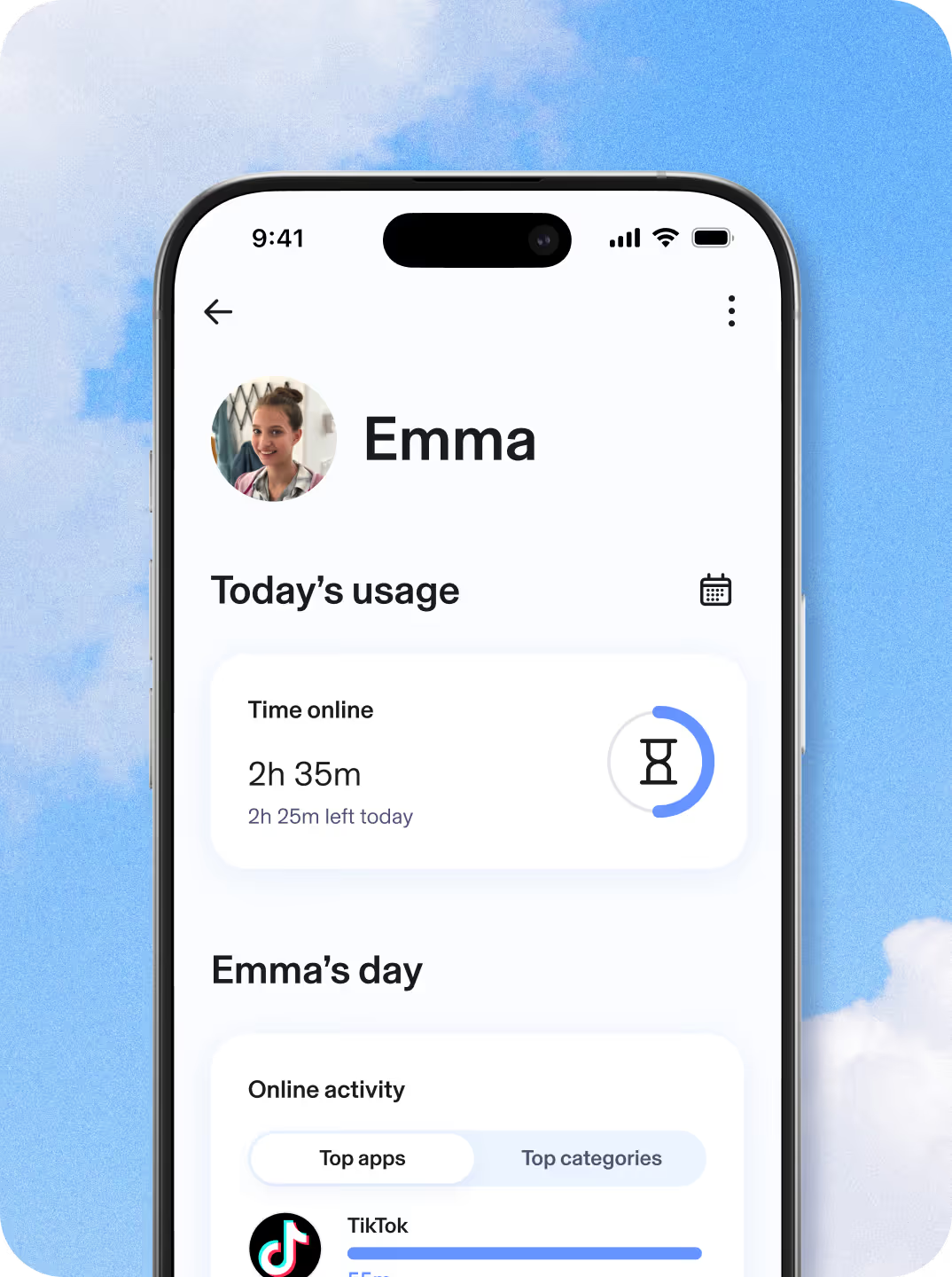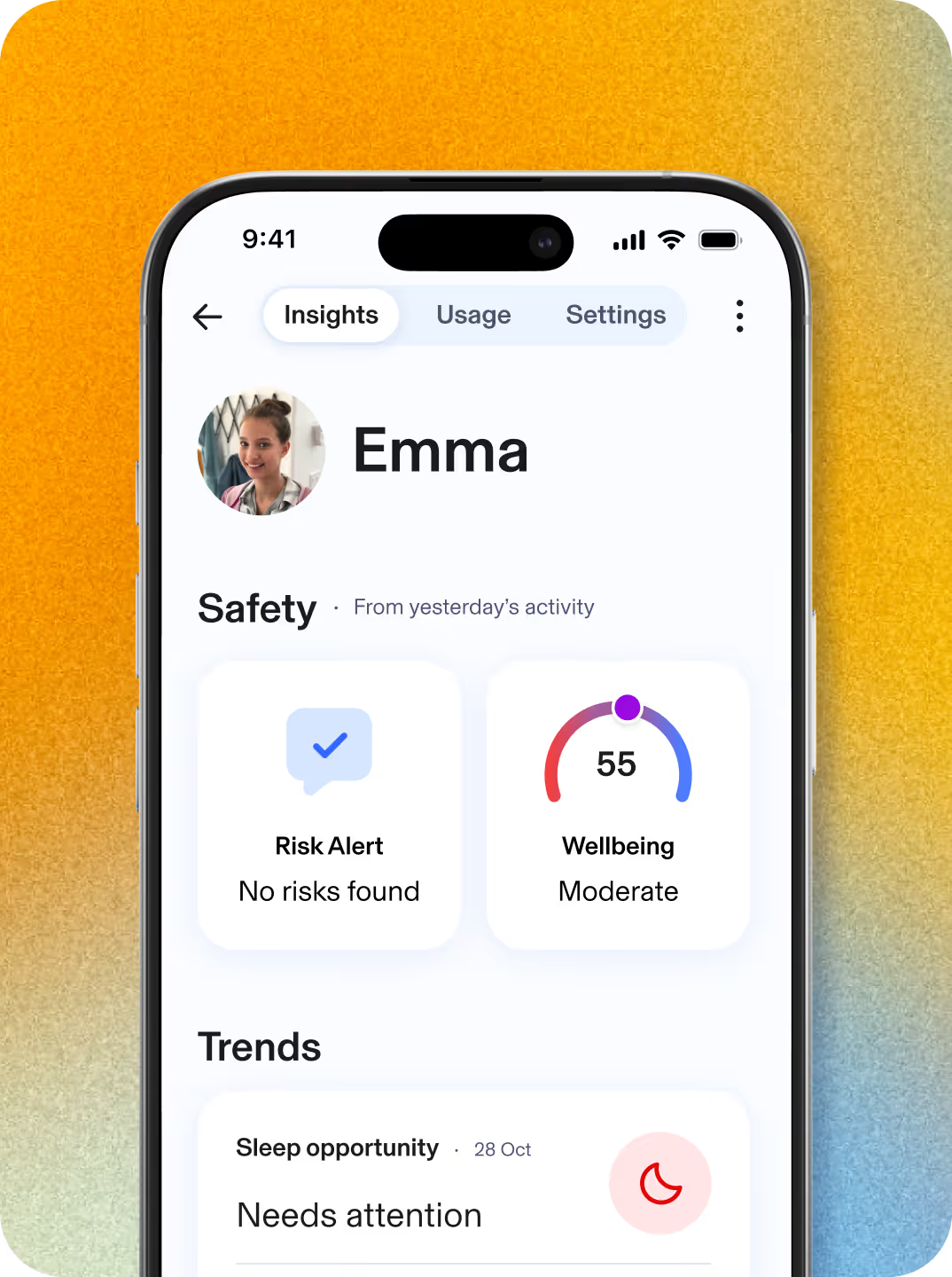
Mobile device with Aura dashboard pulled up showing safety activity for child named Emma

XX%

Trustpilot Icon showing an average of around 4.5 stars
Techradar with an average of around 4.5 stars

Protection for kids. Peace of mind for parents.

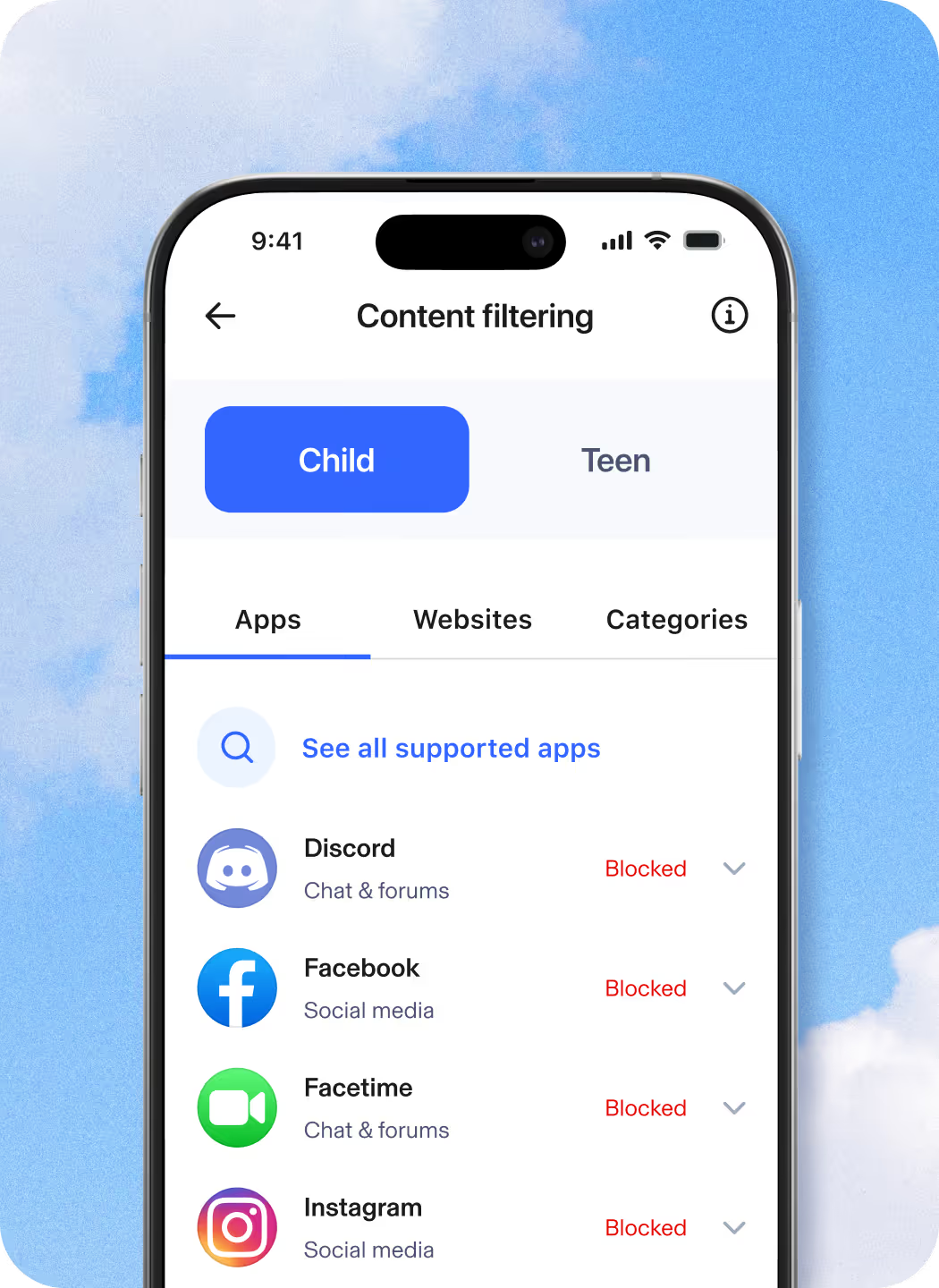
Block websites and apps, set screen time limits, and view online activity.

checkmark icon

Includes Safe Gaming for 24/7 online games monitoring.

checkmark icon

Get personalized insights based on your kids’ online activity trends.

checkmark icon

Parental Controls available on iOS & Android
Safe Gaming available on Windows PC

Logos for Apple, Android, and Windows
Aura Digital
Parenthood partners:
null
A Background image with a photo of Robert Downey Jr. on top of a gradient texture

“I’m a husband, a dad, a human, and I’m hardwired to protect my family. I'm joining Aura to tackle the issue of online safety for families head-on.”

Robert Downey Jr.

Family screen time, covered

From social media to gaming, start managing your kids' online activity to support healthy screen time and overall wellbeing. Aura Parental Controls allows you to restrict internet access and limit screen time on your child's iPhone, iPad or Android phones and tablets.

We make parental controls easy

Get started in under 5 minutes!

Young mom looking at a mobile device with the Aura app.

Add your child

Simply add your child to get started today.

Phone pulled up with Aura's Daily limits dashboard.

Link their devices

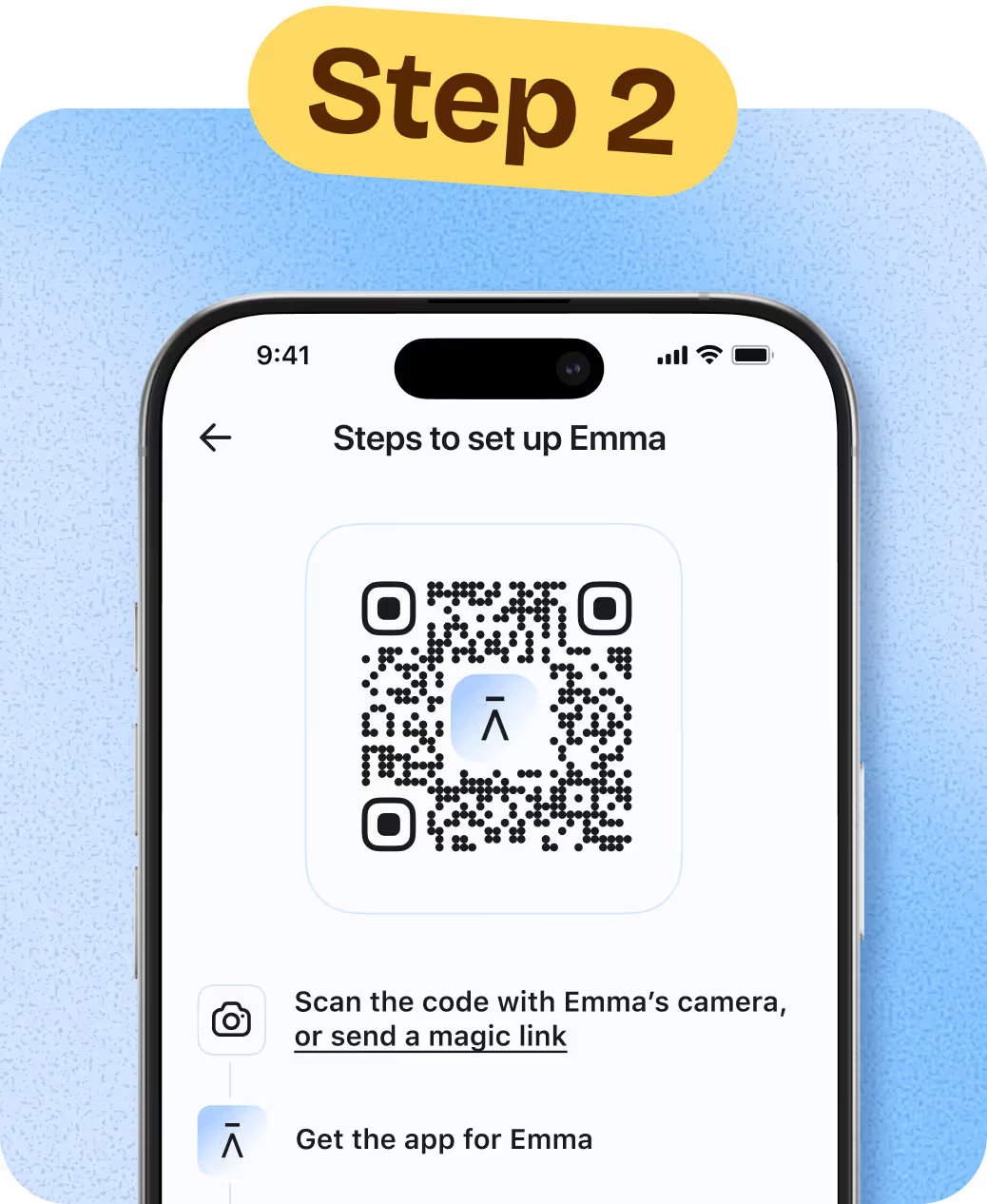
Scan the QR code to link your child’s phone and tablet.

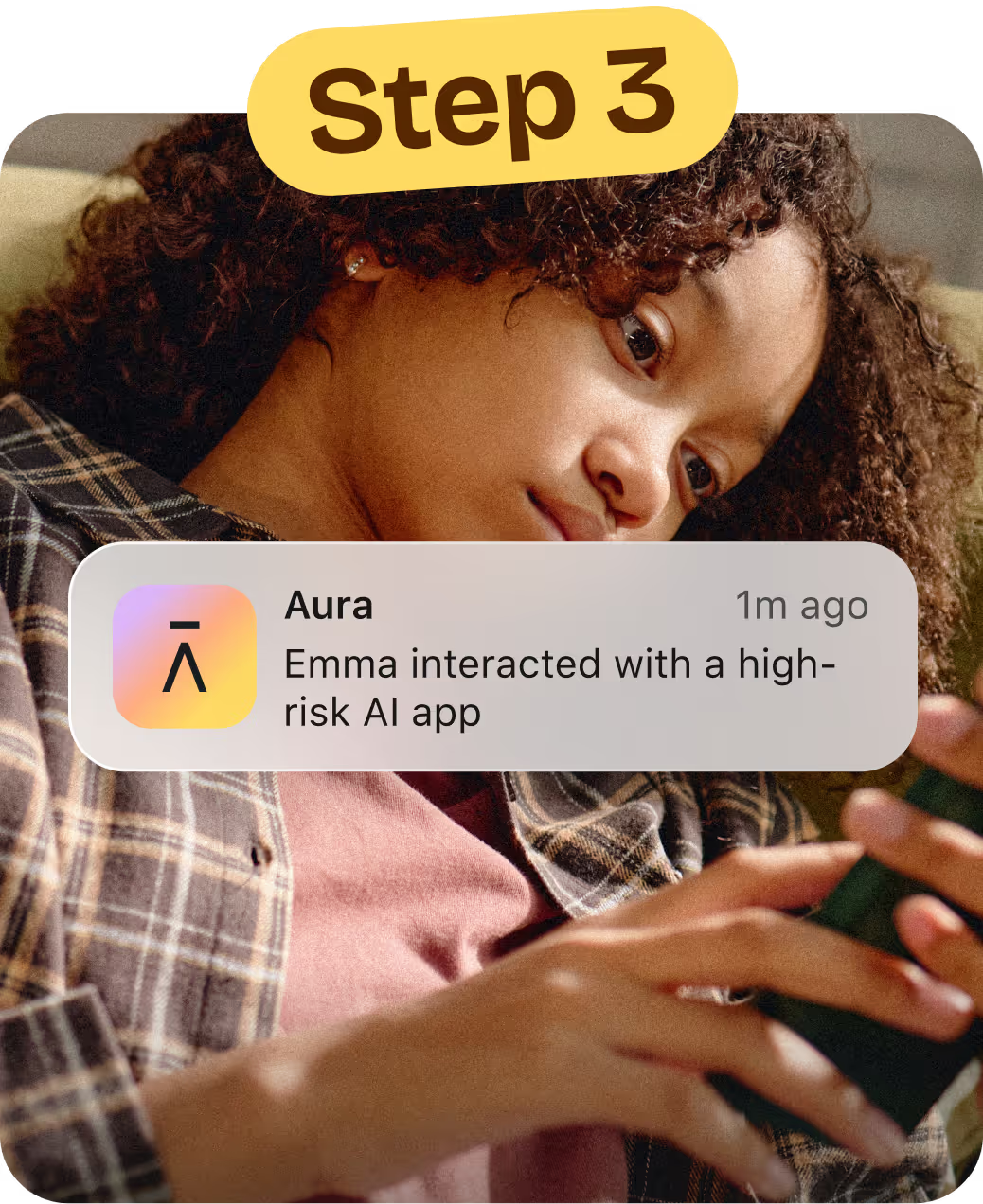
Young girl looking at her mobile device in the background with an Aura Alert on top mentioning a high-risk app was interacted with

Customize

Tailor time limits, scheduling and content restrictions for each child.

Get the insights you need to guide and protect your child online with Aura Parents

Covers unlimited kids and devices

Aura Parents

$XX/mo then $XXX billed annually,
Save XX%
Get Protection Now

Plan covers unlimited kids & unlimited devices!

Available on iOS (phones and iPads) and Android (phones and tablets).*

Parental Controls

    • Block Apps & Websites
      Keep out distractions and harmful content.
    • Set Screen Time Limits
      Help your child build healthier habits.
    • Create Focus Times & Bedtimes
      Schedule device-free time for school, sleep, or family.
    • Pause the Internet®
      Pause online access with one click.
    • Safe Gaming
      Get notified of risks in gaming chats.
      (Windows PC only)

Online Wellbeing Insights

    • Messaging Insights
      Find out which apps your child is using to message. See message volume and tone.
    • Daytime & Nighttime Usage Trends
      See patterns in daily routines and overnight device use.
    • Wellbeing Score
      A research-informed indicator that reflects your child’s digital wellbeing.
    • Weekly Snapshot
      A clear, weekly summary to support better conversations.

Risk Alerts

    • AI App Monitoring & Alerts
      See which AI chat apps your child uses and get notified about high-risk conversations.
    • Risk Signals
      Alerts when messages may indicate self-harm risk.

Peace of mind with simple digital safety for your family

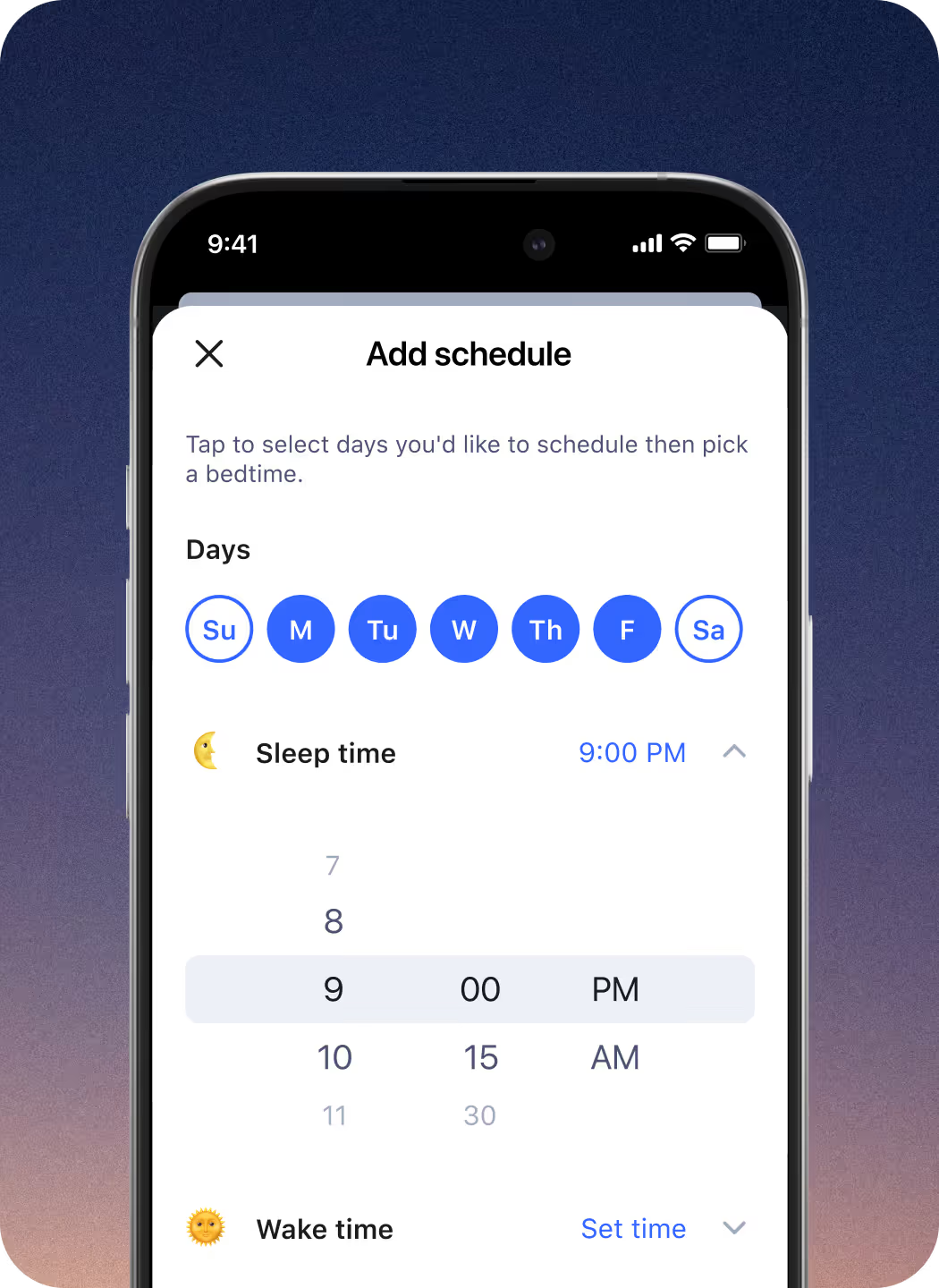
  • Add schedule Aura app screen. Tap to select days you'd like to schedule bedtime. Sleep time shows 9PM. Wake time options available.

    Monitor Content & Block Sites

    Aura’s internet filtering technology is powered by Circle, the award-winning parental controls app. It’s easy to customize what your kids can view online. Simply select apps, games, and websites to limit or restrict altogether.

  • Set Focus Time image showing young girl doing homework.

    Limit Screen Time

    Know that your kids are safe from too much of a good thing—the internet. Set time limits for apps and websites and customize for each family member.

  • Smiling boy using headphones.

    Pause the Internet®

    No more asking your kids three times to set down the iPad and start their homework. Pause the Internet easily enforces screen time limits.

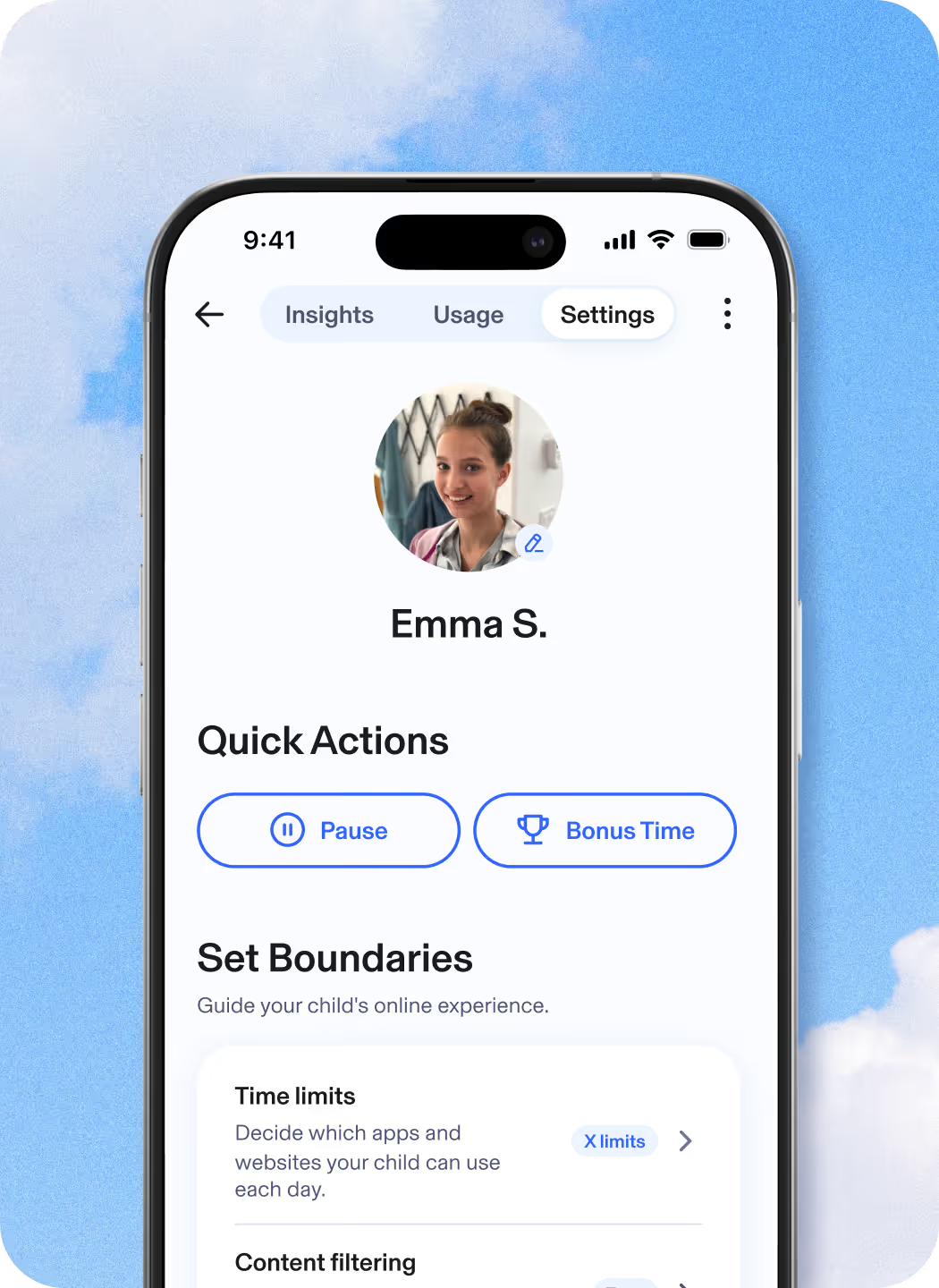
  • Settings profile for Emma S. Quick actions show unpause and bonus time. Set boundaries indicate you can guide your child's experience with time limits.

    View Time Online

    Get a complete picture of your kids’ internet use across all devices so you can make informed decisions about the amount of screen time that’s right for your family.

  • Child laughing with their parent.

    Bedtimes

    Set Bedtimes for weeknights and weekends. When bedtime rolls around, all devices associated with your child’s profile will automatically disconnect from the internet.  

  • Child laughing with their parent.

    Focus Time

    Focus Time lets you set times during the day with limited or no internet distractions, where only selected apps and websites are allowed.  

Get deeper insights into your child’s digital wellbeing

Kids are navigating a digital world with real risks. Aura Parents helps you understand if your kids are happy, healthy, and safe online and enables you to help them build healthier digital habits and online balance.

  • Add schedule Aura app screen. Tap to select days you'd like to schedule bedtime. Sleep time shows 9PM. Wake time options available.

    Identify trends and patterns

    View trends in your kid’s online routines, including shifts from their baseline of social interactions, daytime activity, or sleep habits, to help you spot meaningful changes in their wellbeing

  • Set Focus Time image showing young girl doing homework.

    Daytime and nighttime activity

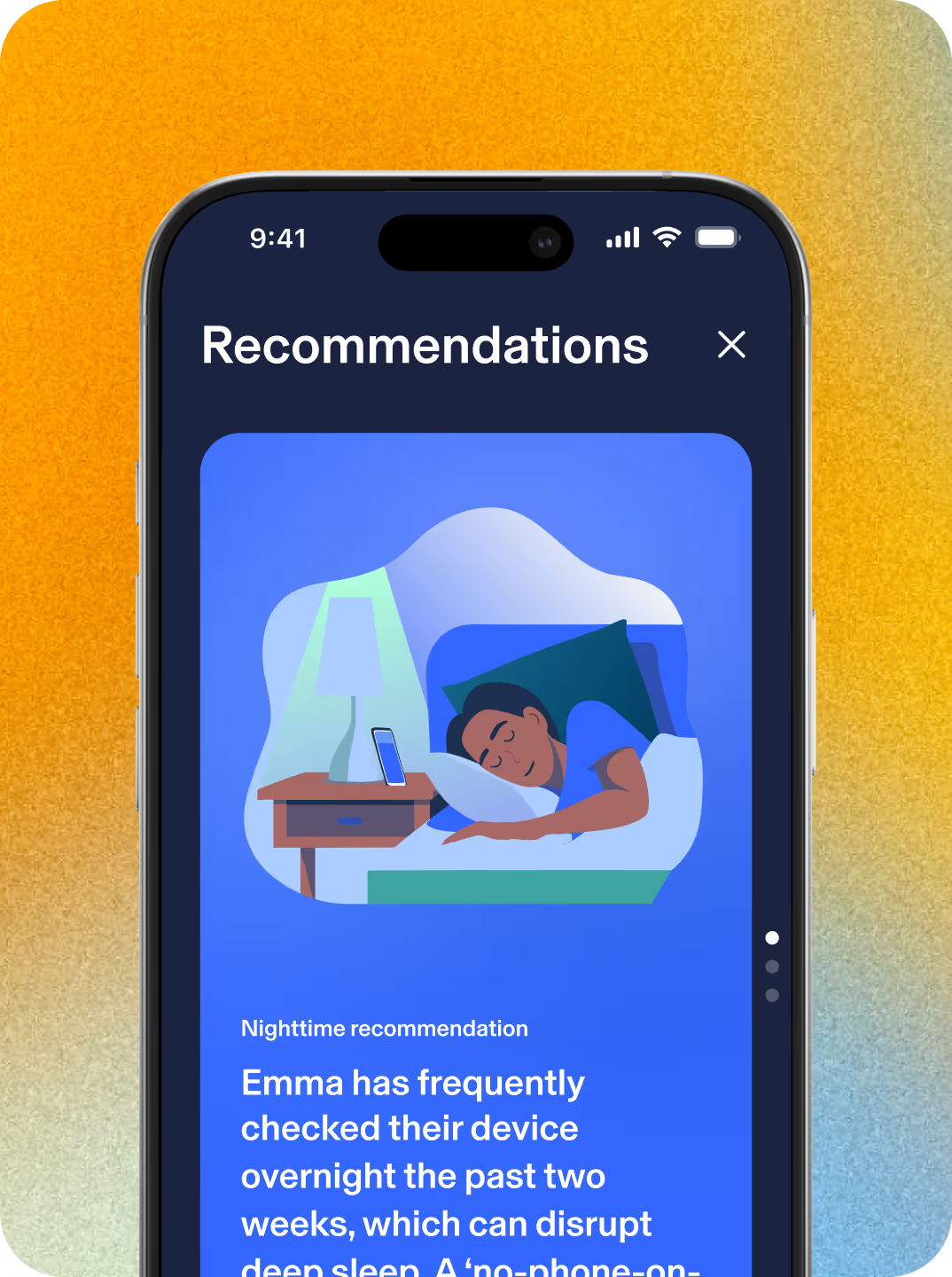
    Gain a clear and personalized view of your kid’s online usage patterns throughout the day and overnight, making it easier to understand behaviors that impact healthy habits or might interfere with their sleep.

  • Smiling boy using headphones.

    Social interactions

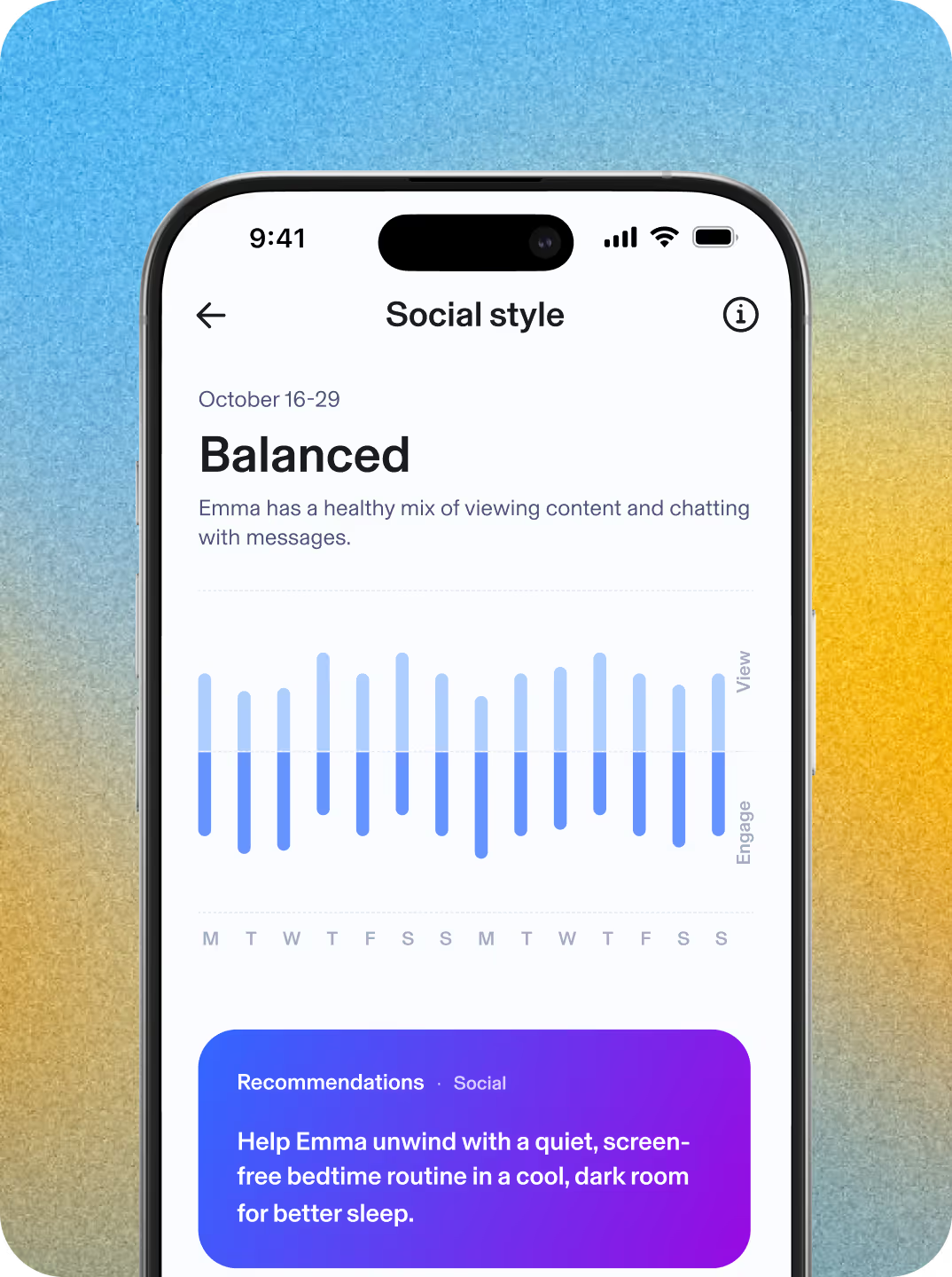
    Get insight into your kid’s social behavior patterns, including their engagement style and the volume and tone of their online interactions. Uncover their unique social persona based on their social patterns.

  • Settings profile for Emma S. Quick actions show unpause and bonus time. Set boundaries indicate you can guide your child's experience with time limits.

    Personalized insights

    Access science-backed recommendations, tips, and conversation starters based on your kid’s daytime and nighttime activity and their unique social persona.

See what parents are saying

Five Stars

Easy to use and effective Great App.

Works well. I like the history and filter features. We haven’t maxed out the number of profiles and filtered devices yet either!

— Kristen H, 03.15.21

Parental Role: Mom

Five Stars

Great app for parents!

Easy to use and customize to our family's needs. I feel confident knowing my kids won't accidentally be exposed to something they shouldn't be AND that I can prevent them from sneaking the iPad and watching a movie in the middle of the night!

— Manuela T, 03.13.2021

Parental Role: Mom

See why families love Aura Parents

Informed by Aura's clinical psychologists A green star

= Informed by Aura's team of Clinical Psychologists

Features Aura Bark
Content Filtering

Set a filter level for each family member.

Screen Time Limits

Customize Screen Time Limits for each kid's profile and set different limits for apps, categories of sites, and a Daily Time Limit.

Focus Time, Bedtime, and Schedules

Set Bedtimes, Focus Times, and custom Schedules to restrict apps at certain times or disconnect from the internet altogether.

Pause the Internet®

Pause the Internet at the press of a button. Hit unpause when you're ready to give back their internet access.

Daytime & Nighttime Usage Trends Informed by Aura's clinical psychologists A green star

View trends in your kid's online usage and routines, as well as shifts in their social interactions, daytime activity, or sleep habits.

Wellbeing Score Informed by Aura's clinical psychologists A green star

Understand how consistent your kid’s digital wellbeing is with a unique indicator based on digital signals.

Messaging Insights Informed by Aura's clinical psychologists A green star

See where your child is messaging—across games, social media, and texts—and understand tone, volume, and timing.

Weekly Snapshot Informed by Aura's clinical psychologists A green star

Get the highlights of weekly online activities to support ongoing conversations.

AI Chat App Alert Informed by Aura's clinical psychologists A green star

Get notified when your child starts a conversation with a high-risk AI app.

AI App Monitoring Informed by Aura's clinical psychologists A green star

See which AI apps your kid is using and understand overall tone and themes in messaging activity.

Risk Signals Informed by Aura's clinical psychologists A green star

Get alerts when conversations may discuss self-harm.

Aura Product showing balance for kids features

Limited time offer! Save 60%

Try risk free. Aura comes with a 60-day money-back guarantee.²

© Aura {YEAR}. All rights reserved.

*Compatibility requirements for installing are: iOS version 16.0 or greater, Android version 12.0 or higher.


‍¹ 60-day money back guarantee is only available for our annual plans purchased through our websites or via our Customer Support team. You may cancel your membership online and request a refund within 60 days of your initial purchase date of an eligible Aura membership purchase either through your Aura Account Membership portal or by calling us at 1-855-712-0021. If you signed up for Aura through a free trial, then your membership purchase date will be the date you signed up for your free trial, and you will have 60 days from the date you signed up for your free trial to cancel and request a refund. If you switched to a new annual plan within 60 days of your initial Aura annual subscription, you may still qualify for the Money Back Guarantee (based upon your initial annual plan purchase date).

² Results based on a May 2024 survey conducted by PTPA Media Inc. PTPA Media Inc was compensated by Aura to conduct this survey.

No one can prevent all identity theft or monitor all transactions effectively. Further, any testimonials on this website reflect experiences that are personal to those particular users, and may not necessarily be representative of all users of our products and/or services. We do not claim, and you should not assume, that all users will have the same experiences. Your individual results may vary.

AURA SERVICES ARE NOT INTENDED TO DIAGNOSE, TREAT, CURE, OR PREVENT ANY DISEASE OR MEDICAL CONDITION. THE SERVICES ARE FOR INFORMATIONAL PURPOSES ONLY AND CANNOT REPLACE THE SERVICES OF PHYSICIANS OR MEDICAL PROFESSIONALS.

Aura's service does not monitor for all content or your child’s behavior in real time. Alerts and/or insights may not be 100% accurate or timely.